Introduction: Why You Must Keep Your Solana Wallet Safe
If you are just getting started with Solana, the most important skill you can learn is how to keep Solana wallet safe. Unlike traditional banking, there is no customer support line to call when something goes wrong. There is no password reset option. There is no fraud department that can reverse a mistaken transaction. When you hold SOL tokens, you are your own bank. This freedom is incredibly powerful, but it comes with genuine responsibility.
The good news is that keeping your Solana wallet safe is not complicated. You do not need to be a cybersecurity expert or a blockchain developer to protect your funds effectively. Instead, you need a clear set of practical habits, the right security tools, and a solid awareness of common threats. This guide covers everything beginners need to know to keep their Solana wallet safe in 2025 and beyond.
Solana’s high-speed blockchain and ultra-low transaction fees have made it one of the most popular networks for DeFi, NFTs, and everyday crypto payments. However, that same popularity has attracted scammers, hackers, and sophisticated wallet-draining operations. According to blockchain security firm CertiK, phishing was the most damaging attack method across all of Web3 in 2024, with Solana users increasingly targeted by specialized draining tools. As a result, knowing how to keep Solana wallet safe has never been more important.
By the end of this guide, you will understand exactly how to keep Solana wallet safe through proven, practical security measures. You will learn how to keep Solana wallet safe by protecting your recovery phrase, identifying common scams, choosing between hot and cold storage, and setting up a hardware wallet. Most importantly, you will develop the security mindset that keeps crypto users safe for the long term. Let us dive in.
What “Keeping Your Solana Wallet Safe” Really Means
Before exploring specific tactics, however, it helps to understand what wallet security actually involves if you want to keep Solana wallet safe. A Solana wallet does not store your tokens directly. Your SOL exists on the blockchain itself. What your wallet actually stores are your private keys, which are the cryptographic credentials that prove ownership and authorize transactions. Therefore, when you keep your Solana wallet safe, what you are really doing is protecting those private keys from theft, loss, and unauthorized access.
Think of your private key as the master password to your entire crypto portfolio. Anyone who gains access to it can move your funds instantly, and those transactions cannot be reversed. There is simply no undo button on the blockchain. At the same time, if you lose your private key and have no backup, your funds are gone forever. There is no recovery process available. This is why Solana wallet safety fundamentally involves two simultaneous goals: preventing unauthorized access while also ensuring you never lose access yourself.
Therefore, the foundation of effective security is understanding the tools at your disposal. Solana wallets fall into two main categories, and knowing when to use each one is essential if you want to keep your Solana wallet safe over the long term.
Hot Wallets vs. Cold Wallets: Understanding the Difference
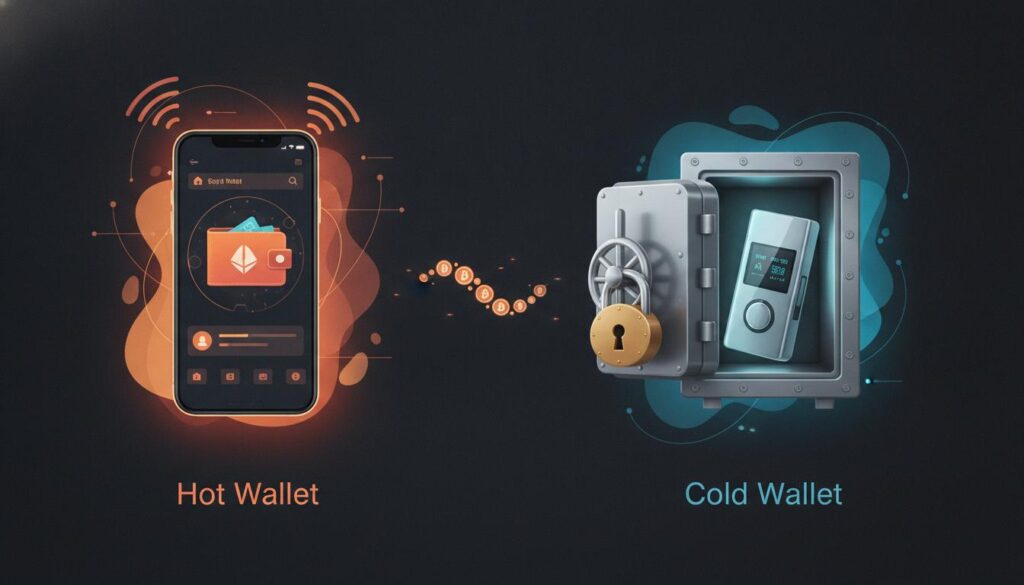
Hot wallets stay connected to the internet for convenience, while cold wallets (hardware wallets) keep your private keys offline for maximum security.A hot wallet is any wallet that stays connected to the internet. This category includes browser extensions like Phantom and Solflare, mobile apps, and web-based wallets. Hot wallets are wonderfully convenient for daily transactions, trading, staking, and exploring DeFi protocols. They are free to set up and easy to use, which makes them the natural starting point for most beginners.
However, because hot wallets remain constantly online, they are also more exposed to threats. Phishing attacks, malicious browser extensions, malware infections, and fake websites can all compromise a hot wallet. Security firm CertiK reported that investors lost roughly $2.5 billion to scams and hacks in the first half of 2025 alone, with compromised wallets accounting for a significant portion of those losses. This does not mean hot wallets are inherently unsafe. Rather, it means they work best for smaller amounts and active trading. Therefore, to keep Solana wallet safe, store larger amounts in a hardware wallet.
In contrast, a cold wallet (also known as a hardware wallet) stores your private keys on a dedicated physical device that remains offline. When you use a hardware wallet to sign transactions, the cryptographic signing happens on the device itself. Your private keys never touch the internet. This design makes hardware wallets the gold standard for long-term storage. In fact, it is the single most effective way to keep Solana wallet safe when you hold significant value.
Moreover, the practical approach that experienced users recommend is to use both types of wallets together to keep Solana wallet safe. Keep a small amount of SOL in a hot wallet for daily activities, and store the majority of your holdings in a hardware wallet. This simple division of funds is one of the smartest habits you can develop as a crypto user.
The Golden Rule: Protecting Your Seed Phrase Above Everything Else
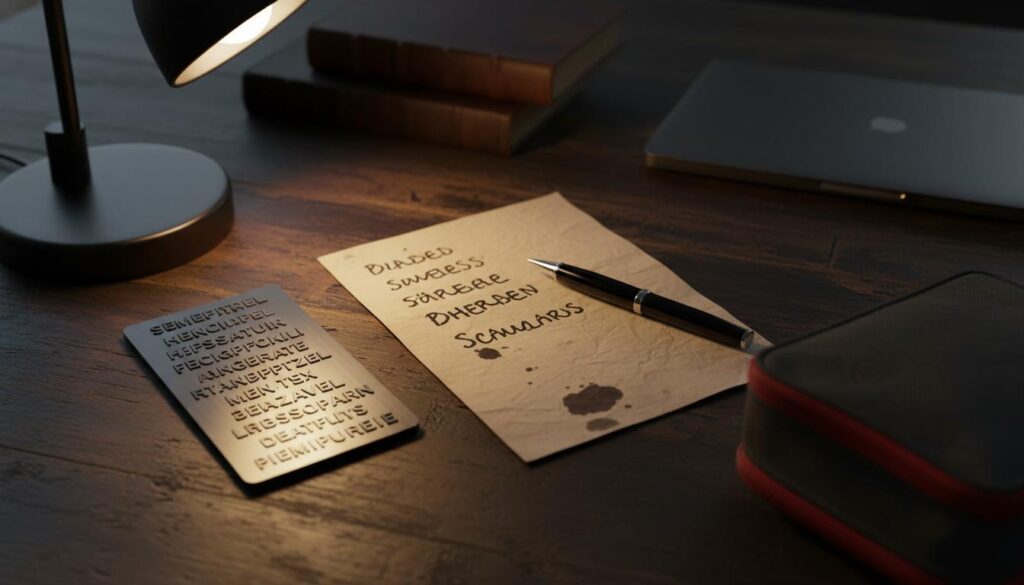
Always write your seed phrase on paper and consider a metal backup for fireproof protection. Never store it digitally.If there is one principle that matters more than any other to keep Solana wallet safe, it is this: your seed phrase is everything. Also called a Secret Recovery Phrase, this set of 12 or 24 words serves as the master key to your wallet. It can restore your wallet on any device, anywhere in the world. If someone else obtains it, they own your funds. If you lose it without a proper backup, your funds are permanently inaccessible.
Your seed phrase is generated automatically when you first create your wallet. To keep Solana wallet safe, you must protect these words at all costs. It is not a password that you choose, nor something you can change later. It represents a permanent cryptographic backup that exists independently of any single device or application. For this reason, how you handle your seed phrase ultimately determines the entire security posture of your Solana wallet.
The Correct Way to Store Your Seed Phrase
First and foremost, write your seed phrase down on paper using a permanent marker or pen. This is the first step to keep Solana wallet safe. Do not type it into a computer. Never take a screenshot on your phone. Do not photograph it. Do not store it in a password manager, email draft, cloud document, or notes app. Every digital copy you create introduces a potential attack vector that could compromise your security. Paper is simple, offline, and completely immune to remote hacking.
Once written down, store that paper in a secure physical location. A fireproof safe represents the ideal storage solution. A locked drawer in a discreet location serves as a reasonable minimum. The essential properties you want are physical security and protection from environmental damage. Paper can burn, get wet, or degrade over time. If your only backup is destroyed and you have no other copies, your wallet becomes permanently unrecoverable.
Consequently, this is precisely why experienced users create multiple copies and store them in different physical locations. For instance, consider keeping one copy in a home safe and another with a trusted family member or in a bank safe deposit box. The goal is geographic separation. A single fire, flood, or burglary should never be able to destroy every copy of your seed phrase simultaneously.
For those seeking extra durability, metal seed phrase backups offer an excellent investment. Indeed, this is a critical step to keep Solana wallet safe. These stainless steel or titanium plates allow you to engrave or stamp your seed phrase permanently. They resist fire, water, corrosion, and physical damage far better than paper. Furthermore, many hardware wallet manufacturers offer metal backup solutions as official accessories. Consequently, this helps you keep Solana wallet safe from physical disasters.
What You Should Never Do With Your Seed Phrase
To effectively keep Solana wallet safe, certain actions must be absolutely off-limits. Never share your seed phrase with anyone under any circumstances. Not with support staff, not with friends or with family members you don’t trust completely. No legitimate service, exchange, or support representative will ever ask for your seed phrase. If anyone requests it, they are a scammer. There are no exceptions to this rule.
Never enter your seed phrase on any website. Wallet interfaces may ask for passwords or PINs during normal operation. They will never ask for your full seed phrase. The only legitimate time to enter your seed phrase is when restoring a wallet on official, verified software that you downloaded yourself from the manufacturer’s website. If any website prompts you to enter your seed phrase to “connect your wallet,” “verify your account,” or “claim an airdrop,” it is unequivocally a phishing site designed to steal your funds.
Never store your seed phrase in digital form. Screenshots on your phone get automatically backed up to cloud services. Files on your computer can be accessed by malware. Email accounts get hacked regularly. The only truly secure storage method is physical and offline.
Common Solana Scams and How to Avoid Them
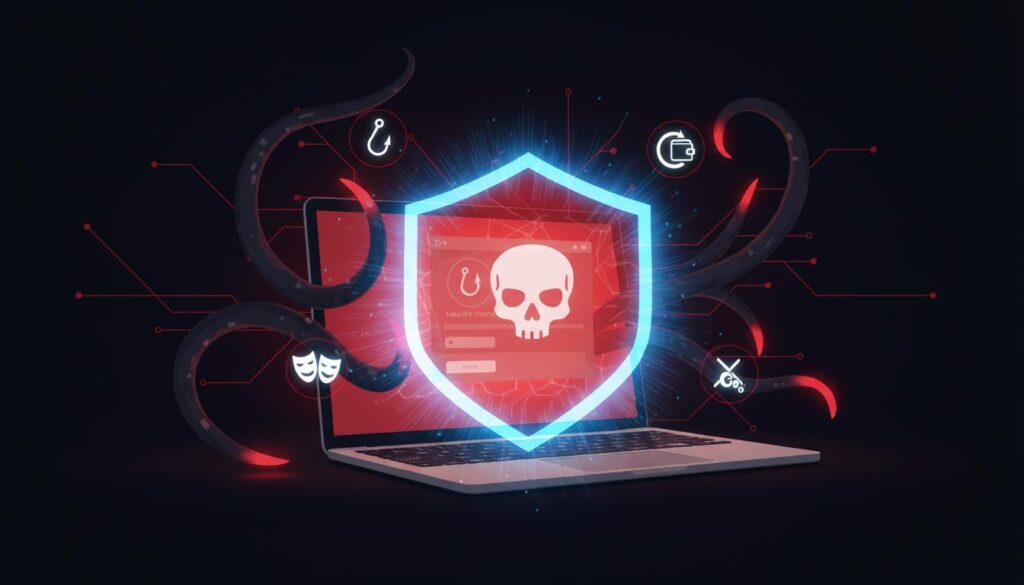
Phishing, wallet drainers, and fake support scams are the biggest threats to Solana users. Learn to recognize and avoid them.The most common way people lose funds is not through sophisticated technical hacking. Instead, it happens through social engineering, psychological manipulation, and simple user error. Scammers understand perfectly that the weakest point in any security system is the human being using it. Therefore, if you want to keep Solana wallet safe, you must recognize the tactics attackers use and develop the crucial habit of pausing before taking any action.
Phishing Websites and Fake Applications
Indeed, phishing remains the single most damaging attack method in all of Web3. Attackers create websites that look nearly identical to legitimate wallets, exchanges, or NFT marketplaces. They frequently use domain names with subtle misspellings or redirect victims through malicious links posted on social media. Once on the fake site, you might be prompted to enter your seed phrase, connect your wallet, or approve a transaction that immediately drains your funds.
To protect yourself effectively, always bookmark the official websites you use regularly. Never click links in unsolicited messages, emails, or social media posts claiming to be from wallet providers. Instead, type URLs manually or use your saved bookmarks. Before connecting your wallet to any site, carefully double-check the URL in your browser’s address bar. Look for the lock icon indicating HTTPS, but remember that HTTPS alone does not prove legitimacy since anyone can obtain an SSL certificate.
Only download wallet apps from official sources. For browser extensions, use the official Chrome Web Store or Firefox Add-ons page and verify the developer name matches exactly. For mobile apps, use only the Apple App Store or Google Play Store. Check the number of downloads, the developer credentials, and recent user reviews before installing. Fake apps occasionally slip through even official stores, so ongoing vigilance matters tremendously.
Wallet Drainers and Malicious Transactions
A wallet drainer refers to a malicious smart contract or script specifically designed to empty your wallet when you sign a transaction. These attacks have become increasingly sophisticated on Solana. Some drainers use a technique researchers call Single Transaction with Multiple Transfers (STMT), where one signed transaction can transfer multiple types of tokens and SOL out of your wallet all at once. Others exploit account authority transfers to seize permanent control of your token accounts.
During 2024, security researchers identified over 8,000 phishing transactions on Solana, with the CLINKSINK drainer alone stealing at least $900,000 from victims. The infamous Inferno Drainer campaign stole over $80 million across multiple blockchains before apparently shutting down, only to resurface months later with new tactics. These tools are real, they remain active, and they specifically target Solana users.
Therefore, the primary defense against wallet drainers is straightforward but requires discipline: never sign a transaction unless you fully understand exactly what it does. Furthermore, when your wallet presents a transaction for approval, read the details carefully. Check what tokens are being transferred and in what amounts. If anything looks unexpected or confusing, decline the transaction immediately. Use transaction simulation features whenever your wallet offers them. Quality wallets like Phantom and Solflare can simulate transactions before execution, showing you the expected outcome. If a simulation reveals tokens leaving your wallet that you did not intend to send, cancel immediately and disconnect from the site.
Fake Support and Social Engineering Attacks
Meanwhile, one of the oldest scams in cryptocurrency remains among the most effective. Scammers pose as support staff on Discord, Telegram, Twitter, and even professional networks like LinkedIn. They actively monitor official channels and send direct messages to users who mention experiencing problems. Their approach always sounds urgent and helpful. They might ask you to “verify your wallet” by entering your seed phrase on a website, or direct you to a “support portal” that actually functions as a phishing site.
Legitimate support representatives never send direct messages first. No wallet provider, exchange, or DeFi protocol will ever ask for your seed phrase. No one needs you to “sync your wallet” or “validate your account.” These requests are always scams. If you need help, navigate to the official support website yourself using a bookmarked URL. Never trust a direct message from someone claiming to represent support.
“Free Money” and Fake Airdrop Scams
If an offer sounds too good to be true, it almost certainly is. Scammers routinely promise guaranteed returns, free tokens, exclusive airdrops, or investment opportunities with implausibly high yields. These offers typically arrive through social media, private messages, or fake websites that mimic legitimate projects. No genuine airdrop requires you to connect your wallet to an unfamiliar site, enter your seed phrase, or send funds first. Remember, to keep Solana wallet safe, never pay to receive free tokens.
Be especially wary of unexpected tokens that suddenly appear in your wallet. Scammers frequently use dusting attacks to send small amounts of worthless tokens to random addresses. These tokens often have names or symbols that link to malicious websites when you attempt to interact with them. Do not interact with tokens you did not purchase or receive from a verified trusted source. Most modern wallets allow you to hide or ignore unknown tokens safely. Do not attempt to sell, swap, or burn scam tokens through unfamiliar interfaces, as doing so can trigger malicious smart contracts.
Daily Habits That Keep Your Solana Wallet Safe
Good security is never a one-time setup. It represents a collection of daily habits and regular practices that compound significantly over time. If you want to keep your Solana wallet safe consistently, integrate these behaviors into your regular routine.
Verify Every Transaction Before You Sign
Importantly, before approving any transaction, pause deliberately and review all details. Check the recipient address carefully. Solana addresses are long strings of characters that look similar. Compare the first few and last few characters against the address you actually intend to send to. For example, for large transfers, always send a small test amount first. Wait for confirmation that it arrived, then send the remainder.
Furthermore, understand what you are signing. If a DeFi protocol or NFT marketplace requests approval to spend your tokens, consider carefully whether that request makes sense. Unlimited token approvals are particularly dangerous. If a protocol has unlimited access to a token in your wallet, a vulnerability in that protocol could potentially drain your entire balance. Consequently, use tools like Solscan’s token revocation feature to review and remove unnecessary approvals regularly. This step is essential to keep Solana wallet safe.
Use Multiple Wallets for Different Purposes
One of the most effective strategies to keep Solana wallet safe is wallet segmentation. Use different wallets for different activities. Your main wallet, ideally a hardware wallet, should hold your long-term savings. A secondary hot wallet can handle daily transactions and small purchases. A third “burner” wallet may be used for experimenting with new apps, claiming airdrops from unfamiliar sources, or minting NFTs from new and unverified projects.
As a result, this approach effectively contains the damage if one wallet becomes compromised. If your burner wallet gets drained because you connected to a malicious site, your main holdings remain completely untouched. Setting up multiple wallets costs nothing and takes only a few minutes. The peace of mind this provides is well worth the small initial effort.
Keep All Software Updated
Outdated software represents a known vulnerability. Wallet providers release updates specifically to patch security flaws, add new protections, and improve functionality. Keep your browser extensions, mobile wallet apps, and hardware wallet firmware current at all times. Enable automatic updates wherever available, or check manually for updates on a regular schedule.
The same principle applies to your operating system and web browser. A vulnerability in your browser could compromise a wallet extension even if the wallet software itself is completely secure. Good security hygiene extends to the entire device you use for crypto activities.
Secure Your Physical Devices and Network
Your wallet is only as secure as the device it runs on. Use strong, unique passwords for your computer and phone. Enable biometric authentication where your device supports it. Be cautious about installing software from unknown sources. Malware that logs keystrokes or intercepts clipboard data can capture passwords and wallet addresses even if your wallet application itself is technically secure.
Avoid using public Wi-Fi networks for crypto transactions. Public networks can be monitored or spoofed by attackers positioned nearby. If you absolutely must use public Wi-Fi, use a reputable VPN service to encrypt your connection. Better still, tether from your phone’s cellular connection whenever you need to make transactions while away from home.
Additionally, for advanced security, consider using a dedicated device for high-value crypto activities. An older laptop that has been wiped clean, runs a minimal operating system, and is used exclusively for wallet management is far more secure than your everyday browsing machine.
Review Connected Apps and Permissions Regularly
Additionally, every time you connect your wallet to a decentralized application, you grant it specific permissions. Over time, these connections accumulate. An application you connected to months ago and forgot about could become a vulnerability if that application is later compromised. Make it a monthly habit to review which apps currently have access to your wallet and revoke permissions for any you no longer actively use. Phantom, Solflare, and similar wallets include built-in tools for managing these connections conveniently.
Why a Hardware Wallet Is the Best Way to Keep Your Solana Wallet Safe
For anyone holding more than a trivial amount of SOL, a hardware wallet should be considered essential rather than optional. In fact, it is the best way to keep Solana wallet safe. It represents the single most impactful upgrade you can make to keep your Solana wallet safe. A hardware wallet stores your private keys on a dedicated physical device that never connects to the internet. When you sign transactions, the cryptographic signing occurs on the device itself. Your keys are never exposed to the computers and phones you use daily.
The security difference is enormous. Furthermore, malware on your computer cannot extract private keys from a hardware wallet because the keys never leave the secure device. Phishing sites cannot steal your seed phrase because the seed phrase was generated internally and is never displayed on your computer screen. Even if your computer is completely compromised by the most sophisticated attack, a hardware wallet keeps your funds secure.
How Hardware Wallets Protect Your SOL
When you use a hardware wallet with Solana, the setup process follows a clear pattern. You connect the device to your computer and initialize it through the manufacturer’s official application. The device generates your seed phrase internally and displays it only on its own screen. You write it down, verify it through the device’s confirmation process, and from that moment forward, your private keys exist exclusively inside the secure chip on that physical device.
Subsequently, when you want to send SOL or interact with a decentralized application, you connect your hardware wallet to a compatible software wallet like Phantom or Solflare. You browse and initiate transactions through the familiar software interface. However, when it comes time to sign, the transaction is sent to your hardware wallet. You review the complete details on the device’s physical screen and press a physical button to confirm. The cryptographic signature is generated inside the secure chip, and only the signed transaction is transmitted back to your computer. Your private keys never leave the device at any point.
Consequently, this process adds a physical verification step that no online attacker can possibly bypass. Even if malware rewrites the transaction details shown on your computer screen, the hardware wallet displays the true transaction on its own trusted screen. You see exactly what you are signing, and you must physically press a button to approve it. This protection against blind signing ranks among the most important security features any hardware wallet provides.
Our Recommendation: Ledger Hardware Wallets
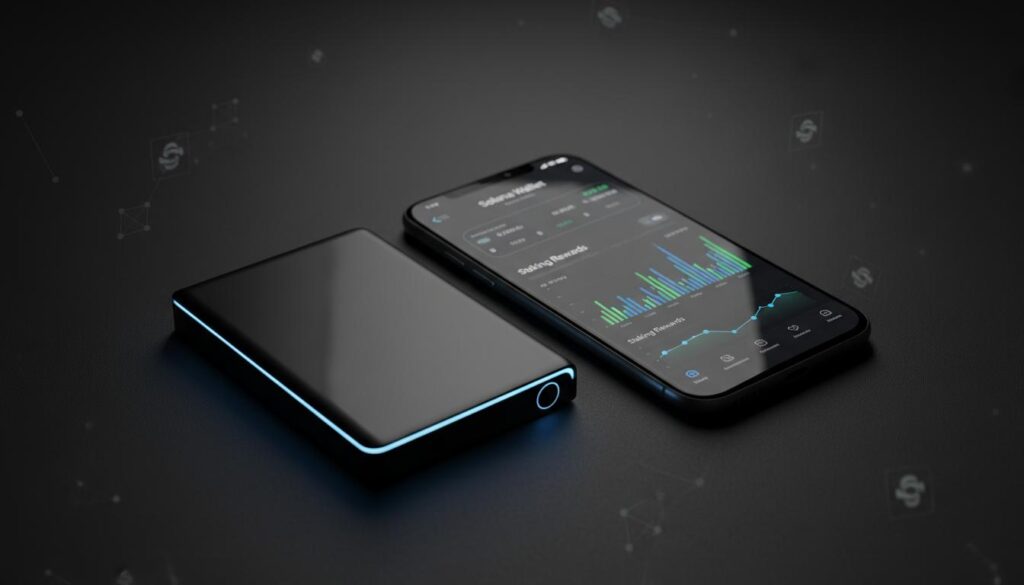
Ledger hardware wallets keep your private keys offline while letting you securely stake SOL for passive rewards. [Get your Ledger here]If you are serious about taking steps to keep Solana wallet safe, we strongly recommend Ledger hardware wallets**. Ledger stands as the most established and widely trusted name in hardware wallet security, and their Solana support is truly exceptional. Ledger devices feature a CC EAL6+ certified Secure Element chip, the same grade of secure hardware used in passports and credit cards worldwide. This chip generates and stores your private keys in an isolated, tamper-resistant environment that has never been remotely compromised in over a decade of operation.
Ledger offers several models designed to fit different needs and budgets:
Table
| Model | Price | Best For | Key Features |
|---|---|---|---|
| Ledger Nano S Plus | ~$79 | Beginners, desktop users | Full Solana support, USB-C, excellent value |
| Ledger Nano X | ~$149 | Mobile-first users | Bluetooth, iOS/Android support, larger storage |
| Ledger Flex | ~$249 | Daily active users | E Ink touchscreen, Bluetooth, NFC payments |
| Ledger Stax | ~$399 | Premium experience | Curved E Ink display, wireless charging, custom spine |
For most beginners looking to keep their Solana wallet safe, the Ledger Nano S Plus offers the perfect balance of security and affordability. It provides complete Solana support at a price point accessible to new users.
What truly sets Ledger apart for Solana users is the seamless integration experience. Through the Ledger Wallet app (formerly Ledger Live), you can securely buy, manage, and stake SOL directly from your hardware wallet. Solana staking through Ledger earns approximately 5-7% APY in passive rewards, paid automatically every 2-3 days, while your private keys remain safely offline throughout the entire process. This approach is known as cold staking, and it represents one of the safest methods available for earning yield on your SOL.
Ledger also supports Clear Signing, an innovative feature that displays complete, human-readable transaction details directly on the device screen. When you interact with Solana dApps, you see exactly what tokens are moving, what permissions you are granting, and what the expected outcome will be. No guessing. No blind trust. Just transparent, verifiable security that helps you keep your Solana wallet safe during every interaction.
Ready to upgrade your Solana security? Get your Ledger Nano S Plus here and take the most important step to keep your Solana wallet safe. Your private keys stay offline, your staking rewards keep growing, and you maintain complete control of your assets at all times.
Why Ledger Surpasses Software-Only Security
The difference between a software wallet and a Ledger hardware wallet mirrors the difference between locking your front door and installing a proper safe in your home. A software wallet encrypts your keys on your computer or phone, but that device connects to the internet constantly, runs dozens of applications, visits countless websites, and faces exposure to phishing, malware, and simple user error every single day.
A Ledger device functions as a single-purpose security tool. It does not browse the web nor does it install random applications. It does not receive phishing emails. Its sole purpose is to keep your private keys isolated and sign transactions securely. Consequently, this focused design explains why hardware wallets have never been remotely hacked at scale, while software wallet compromises continue costing users billions of dollars annually across the crypto ecosystem.
Ultimately, for anyone holding SOL worth more than a few hundred dollars, a Ledger hardware wallet pays for itself many times over through security alone. When you additionally factor in the ability to stake SOL safely and earn passive rewards without exposing your keys, the value proposition becomes overwhelmingly clear.
What to Do If Something Goes Wrong
Even with excellent security practices, incidents can occasionally happen. Perhaps you clicked a phishing link. Maybe you accidentally approved a malicious transaction. You might suspect your computer has been compromised. Knowing how to respond quickly can mean the difference between losing everything and saving most of your funds.
If You Suspect Your Wallet Has Been Compromised
Act immediately, but do not panic. If you still maintain access to your wallet and funds remain, create a new wallet on a clean, trusted device or hardware wallet. Transfer any remaining assets to the new wallet as quickly as possible. Use a direct transfer rather than a swap or DeFi interaction that might trigger additional malicious behavior.
Once your funds are secured, stop using the compromised wallet entirely. Do not attempt to continue using it for small amounts. The private keys are potentially exposed, and any future transactions could be monitored or intercepted. Treat the compromised wallet as permanently unsafe.
If You Have Lost Your Seed Phrase
If you still have access to your wallet but have lost your seed phrase backup, create a new wallet immediately and transfer your funds to it. Indeed, this is the only way to keep Solana wallet safe after losing your backup. Write down the new seed phrase and store it securely this time. Your current wallet will continue working only until you lose the device it runs on or encounter a technical problem. Without a seed phrase, no recovery path exists.
If you have lost your seed phrase and simultaneously lost access to your wallet, there is unfortunately no method to recover your funds. This represents the hard truth of self-custody. It is precisely why secure, redundant backups form the absolute foundation of everything else.
If You Signed a Malicious Transaction
If you realize you signed a transaction that drained your wallet, there is likely nothing you can do to recover those specific funds. Blockchain transactions are irreversible by design. However, you should still document everything thoroughly. Take screenshots of the transaction details, the website or application that deceived you, and any relevant wallet addresses. Report the incident through official community channels. Your documentation may help warn other users or assist security researchers in taking down the malicious infrastructure before more people are harmed.
Monthly Security Checklist to Keep Your Solana Wallet Safe
Good security is a habit, not a one-time event. Use this practical checklist monthly to maintain strong security hygiene and keep Solana wallet safe consistently over the long term.
Table
| Security Task | Frequency | Priority |
|---|---|---|
| Review and revoke unnecessary dApp permissions | Monthly | High |
| Verify seed phrase backups remain intact and accessible | Monthly | High |
| Update wallet software, browser extensions, and firmware | Monthly | High |
| Check transaction history for unauthorized activity | Monthly | High |
| Review connected hardware and authorized devices | Monthly | Medium |
| Scan for unknown or suspicious tokens in your wallet | Monthly | Medium |
| Verify bookmarks for official sites remain current | Monthly | Medium |
| Reassess your wallet segmentation strategy | Quarterly | Medium |
| Test hardware wallet recovery process on backup device | Quarterly | Low |
| Review and update emergency documentation | Quarterly | Low |
Building Your Personal Security Routine
Therefore, set a recurring calendar reminder for the first day of each month. Spend approximately 10-15 minutes running through the high-priority items. This modest investment of time prevents the gradual accumulation of risky app connections and outdated software that leads to most compromises over time.
Finally, before every significant transaction, run through a quick mental checklist to keep Solana wallet safe. Am I on the correct website? Is the recipient address correct? Do I understand what this transaction will actually do? Am I using the appropriate wallet for this particular activity? These questions become automatic with practice, and they will save you from costly mistakes repeatedly.
Frequently Asked Questions About Keeping Your Solana Wallet Safe
Can Solana transactions be reversed?
No. All transactions on the Solana blockchain are permanent and irreversible. There is no bank to call, no support ticket to file, and no mechanism for chargebacks. This immutability is exactly why double-checking every detail before confirming a transaction is absolutely critical to keep your Solana wallet safe.
Is it safe to share my Solana wallet address publicly?
Yes, your public wallet address is completely safe to share. It functions similarly to sharing your email address or bank account number. People need it to send you SOL or tokens. However, remember that your public address is visible on the blockchain, meaning anyone can see the transaction history associated with it. For enhanced privacy, some users rotate addresses or distribute funds across multiple wallets. Never share your seed phrase or private key, as those grant complete control over your funds.
How much SOL should I keep in a hot wallet?
Only keep what you genuinely need for daily use and can comfortably afford to lose. A common approach involves keeping one to two weeks of expected transaction volume in a hot wallet, with the majority of holdings secured in a hardware wallet. If you actively trade or use DeFi protocols frequently, you might keep more accessible, but understand clearly that risk increases proportionally with the amount stored online.
Is staking SOL safe?
Staking SOL through reputable validators is generally quite safe, especially when done through a hardware wallet. When you stake, you retain full ownership of your tokens. You are delegating voting power, not transferring custody. The main risks involve validator downtime, which reduces your rewards, and slashing, where a malicious or poorly configured validator can cause a small portion of delegated stake to be penalized. Choosing a reputable validator with high uptime and reasonable commission fees minimizes these risks substantially. Staking through Ledger’s native integration adds the powerful security of cold staking, where your private keys remain offline throughout the entire process.
What is the safest wallet setup for Solana beginners?
For small amounts and initial learning, Phantom or Solflare represent excellent hot wallets with strong security features and intuitive interfaces. For anyone holding significant value, a Ledger hardware wallet paired with Phantom or Solflare provides the safest combination available. You gain the usability of a modern software wallet combined with the unmatched security of offline key storage.
Conclusion: Security Is a Journey, Not a Destination
Learning how to keep Solana wallet safe represents one of the most valuable investments you can make as a cryptocurrency user. The core principles are refreshingly straightforward: protect your seed phrase diligently, use a hardware wallet for significant holdings, stay vigilant against evolving scams, verify every transaction carefully, and build good habits that compound over time.
Solana’s remarkable speed, minimal fees, and vibrant ecosystem make it an incredible platform to explore and use. Do not allow fear of scams or hacks to keep you on the sidelines. With the right security practices in place, you can participate confidently, earn staking rewards, collect NFTs, and use DeFi protocols while keeping your funds thoroughly protected.
Ultimately, the most impactful step you can take today is auditing your current setup honestly. Is your seed phrase written down and stored securely in multiple locations? Are you using a hardware wallet for your main holdings? Have you reviewed your connected app permissions recently? Do your bookmarks point exclusively to official websites? These small actions accumulate into a security posture that serves you well for years to come.
If you have not yet upgraded to a hardware wallet, consider making that your very next move. After all, it is the single biggest improvement you can make to keep Solana wallet safe, and the peace of mind it delivers is worth far more than the device’s purchase price. Stay safe, stay informed, and enjoy exploring everything the Solana ecosystem has to offer.
Disclaimer: This article is for educational purposes only and does not constitute financial advice. Cryptocurrency investments carry inherent risk, including the potential loss of capital. Always conduct your own thorough research before making financial decisions.
Affiliate Disclosure: This post contains affiliate links to Ledger hardware wallets. If you purchase through these links, we may earn a commission at no additional cost to you. We only recommend products we genuinely believe will help our readers keep their Solana wallet safe.
Leave a Reply