Author: nedim

  • Close Solana Buffer Accounts and Reclaim SOL Left Behind by Failed Deploys

    Close Solana Buffer Accounts and Reclaim SOL Left Behind by Failed Deploys

    If you’re trying to close Solana buffer accounts to reclaim SOL, you’re not alone – and you’re not imagining it. Failed program deploys and upgrades can leave SOL behind in program-related leftovers that many wallets never surface clearly.

    In this guide, you’ll learn:

    • What buffer-related leftovers are (in plain English)
    • Why failed deploys/upgrades can leave SOL behind
    • How to detect it safely
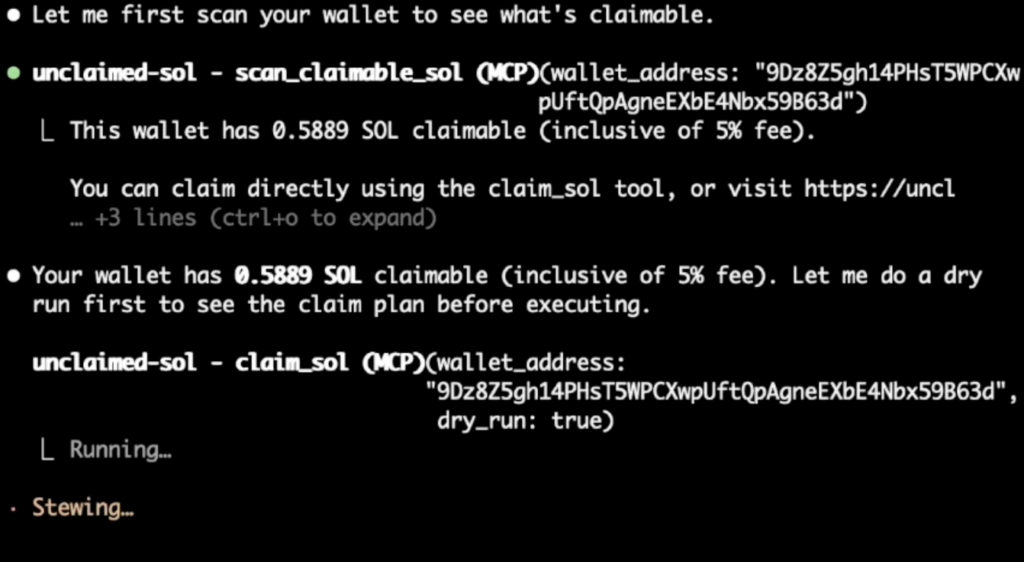
    • How to reclaim lamports from buffer accounts without turning it into a multi-hour CLI rabbit hole

    Quick take

    • When a program deploy or upgrade fails, SOL that funded the process may remain sitting in program-related leftovers.
    • Those leftovers can usually be recovered by the authority that created them.
    • This is especially relevant if you deployed/upgraded programs in 2022-ish (or any time you were pushing changes under pressure).

    What are Solana buffer accounts (and why do they exist)?

    During program deploys and upgrades, Solana uses temporary staging mechanisms so program data can be uploaded safely. In normal conditions, everything completes and there’s nothing left to clean up.

    But when deploys fail, upgrades are abandoned, or workflows get interrupted, the “temporary” part can stop being temporary.

    Result:

    • SOL gets left behind in program-related leftovers
    • Devs forget about it
    • The wallet UI often doesn’t present it as “claimable” SOL

    This is why searches like close buffer accounts Solana and reclaim lamports from buffer accounts have become common in builder communities.


    Why failed deploys/upgrades leave SOL behind

    A failed deploy or upgrade can happen for many reasons:

    • network congestion
    • fee spikes at the wrong time
    • tooling interruptions
    • workflow mistakes under pressure
    • aborted upgrade attempts

    The common outcome:

    • you paid SOL to fund deploy/upgrade steps
    • the process didn’t fully complete
    • some SOL remains parked in leftovers tied to that deploy/upgrade path

    If you remember the “deploy-fail era” vibes from 2022, you already know how easy it was to end up with these.


    Who should check this?

    You should strongly consider checking if:

    • you deployed or upgraded Solana programs (especially upgradeable programs)
    • you used automation (Anchor scripts, CI, repeated deploy attempts)
    • you had failed deploys and moved on quickly
    • you’ve ever said “I think I lost SOL during deploy” and never fully investigated

    Most wallets won’t have this.
    But for the wallets that do, the amounts can be meaningful.


    The hard part for most people is not “recovering” – it’s finding the leftovers reliably and knowing what is safe to clean up.

    There are two broad approaches:

    1) CLI/manual approach (for devs)

    Yes – experienced devs can recover this manually using Solana CLI workflows.

    The tradeoff:

    • it’s cool/techy
    • but it can be time-consuming
    • and it’s easy to miss something or waste time enumerating accounts
    • danger of compromising private key or messing something up if CLI not user correctn;y

    If you’re comfortable living in CLI, that can be a good route.

    2) Guided detection + reclaim flow (fast path)

    The faster path is a guided scan that:

    • detects program-related leftovers automatically
    • shows an estimate before you approve anything
    • prepares the recovery actions with normal wallet approvals

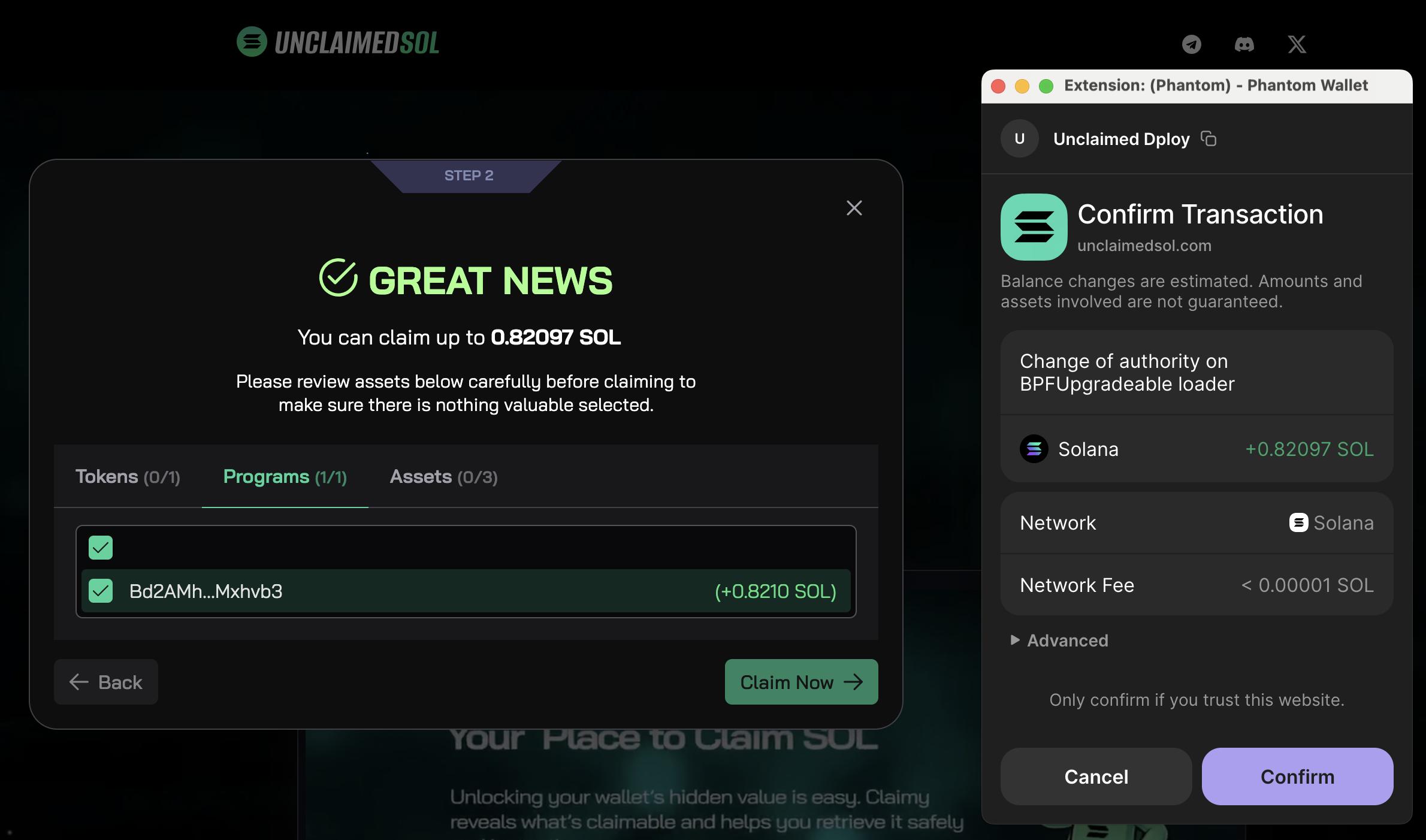
    This is exactly why we added a Programs tab inside the Unclaimed SOL claim flow.


    The Programs tab in Unclaimed SOL

    close solana buffer accounts

    We built Programs as an extension of the existing claim flow because this is the same core promise:

    • detect SOL that’s genuinely reclaimable
    • keep approvals explicit and wallet-native
    • show the total claimable amount up front
    • make the process fast, clear, and repeatable

    What you’ll see

    • a Programs section alongside your normal token-account reclaim results
    • a clear total claimable number
    • a breakdown so you understand where the SOL is coming from

    Safety model

    • you approve transactions in your favorite wallet like normal
    • you can verify amounts before signing
    • nothing happens without your explicit wallet approval

    Fees and transparency

    For Programs recovery we use:

    • 10% fee, calculated in the claimable amount

    That matters because this category is often “invisible” until detected, and users should never feel surprised by what they’re paying.


    Common confusion: “Close program” vs “close buffer accounts”

    These searches often get mixed together:

    • solana close program
    • solana close account
    • close Solana buffer accounts

    They are not the same thing.

    • Closing a program is irreversible and has consequences (you can’t reuse the program id).
    • Closing buffer-related leftovers is typically about reclaiming SOL that was funding staging/deploy attempts.

    If you’re here because you suspect “SOL was left behind”, you’re usually dealing with the second category.


    Before you approve anything:

    • confirm the expected net amount
    • confirm the recipient wallet address
    • avoid rushing if the numbers look off
    • if you’re using a fresh wallet setup, double-check you’re connected to the correct one

    Simple habit: treat this like moving funds – verify the details first, then sign.


    FAQ

    What does “close Solana buffer accounts” mean?

    It usually refers to cleaning up deploy/upgrade leftovers so the SOL (lamports) sitting in them can be returned to a normal wallet address.

    Can I reclaim lamports from buffer accounts?

    Yes, in many cases the lamports can be reclaimed by the authority that created or controls the leftover deploy/upgrade path.

    Do all wallets have this?

    No. Most wallets won’t. It’s most relevant for builders who deployed/upgraded programs and had failed attempts.

    Is this the same as closing empty token accounts?

    No. Empty token accounts are a separate category (classic rent reclaim). Program deploy/upgrade leftovers are different and typically require different detection logic.

    Can I do this with CLI?

    Yes. Devs can recover this via CLI. The tradeoff is time and complexity. The Programs tab is the guided, faster path.


    How to reclaim your SOL

    If you deployed/upgraded programs and had failed attempts, it’s worth checking once:

    • run a scan
    • open the Programs tab
    • review the amounts
    • approve in-wallet if it looks correct

    👉 Go to https://unclaimedsol.com/ and try the Programs now!

  • Data Shows: Unused Accounts Lock Millions in SOL on Solana

    Data Shows: Unused Accounts Lock Millions in SOL on Solana

    Summary

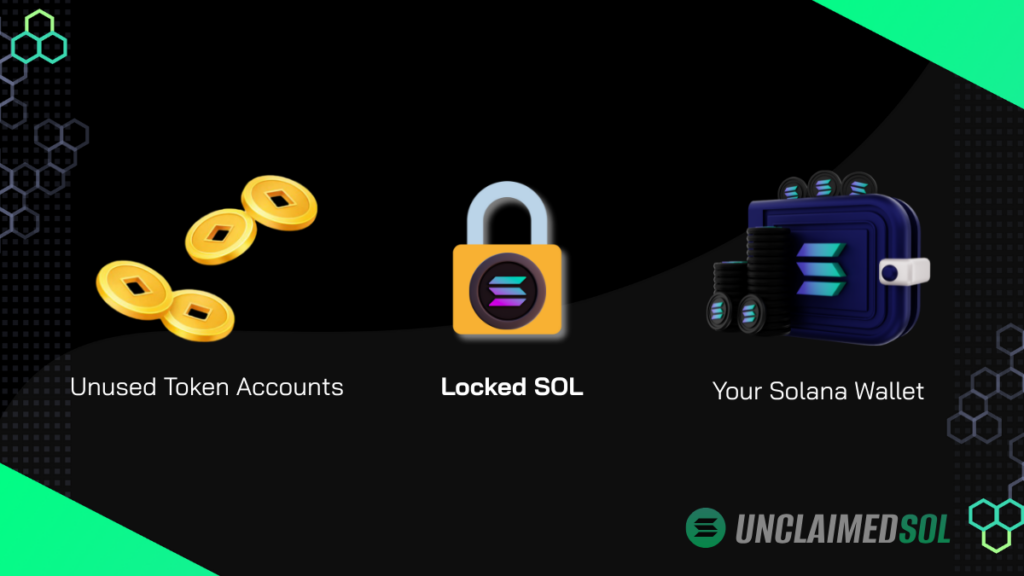
    Unused Solana token accounts are one of the most common reasons SOL gets locked on Solana.

    Based on aggregated on-chain data, many wallets still contain empty token accounts and forgotten program-linked accounts that continue locking rent long after users think they’re done.


    Unused Solana Token Accounts: Why SOL Gets Locked

    On Solana, accounts require rent to exist.
    This applies not only to wallets, but also to:

    • SPL token accounts
    • program-derived accounts
    • temporary accounts created by DeFi or NFT applications

    When these accounts are no longer needed, they must be explicitly closed.
    If they aren’t, the rent remains locked indefinitely – according to Solana’s account model documentation.


    Methodology

    We analyzed aggregated, anonymized wallet data to identify:

    • empty SPL token accounts
    • reclaimable rent held by unused accounts
    • accounts linked to programs users interacted with once and abandoned

    Important notes:

    • no private keys were accessed
    • no custody was involved
    • only on-chain public account data was analyzed
    • results are presented in aggregate only

    This ensures the analysis reflects ecosystem-level patterns, not individual wallets.

    unused solana token accounts locking sol

    Key Findings

    1. Most Wallets Contain Unused Token Accounts

    Our analysis shows that a majority of Solana wallets (60–80%) still contain at least one unused SPL token account.

    These accounts:

    • hold zero tokens
    • remain open
    • continue locking SOL as rent

    In many cases, wallets contain multiple such accounts.


    2. SOL Is Also Locked in Forgotten Program Accounts

    Beyond token accounts, SOL is frequently locked in program-related accounts created by:

    • DeFi protocols
    • NFT mints
    • early ecosystem tools
    • one-time interactions

    Users often interact once, move on, and never realize these accounts persist.

    These accounts:

    • do not appear as balances
    • are rarely surfaced by wallets
    • are effectively invisible to most users

    3. Small Amounts Per Account, Meaningful Amounts Per Wallet

    Individually, rent locked per account is often between 0.01 and 0.05 SOL — small in isolation, but meaningful in aggregate.

    But when aggregated:

    • across multiple accounts
    • across multiple interactions
    • across millions of wallets

    …the total amount of locked SOL becomes non-trivial.

    This creates ongoing, silent capital inefficiency across the ecosystem.

    Wallet TypeUnused AccountsLocked SOL (avg)
    Light user1-20.002-0.004
    Active DeFi user3-60.006-0.012
    NFT-heavy wallet10-200.02-0.04

    Key Numbers from the Analysis

    • 60–80% of analyzed wallets contained at least one unused account
    • 2–6 unused accounts per affected wallet (median range)
    • 0.01–0.05 SOL locked per unused account
    • 0.1–0.5 SOL locked per affected wallet on average

    Figures represent aggregated on-chain observations across analyzed wallets. Exact values vary by wallet activity and history.


    Why Users Don’t Notice This

    The issue is not negligence.

    It’s UX.

    These unused Solana token accounts persist because wallets rarely surface them clearly, even when they no longer hold tokens.

    Most wallets:

    • focus on balances and NFTs
    • abstract away account-level complexity
    • do not clearly surface empty or reclaimable accounts

    As a result:

    “Empty” looks the same as “closed” to most users.

    On Solana, those are very different states.

    A common pattern we observed was wallets showing 0 tokens and a low SOL balance, while still holding several empty accounts underneath.

    From the user’s perspective, nothing looks wrong – yet small amounts of SOL remain locked silently.


    Why Different Tools Report Different Amounts

    Tools that reclaim SOL differ in:

    • which account types they include
    • safety heuristics
    • detection logic
    • treatment of program-derived accounts

    This explains why:

    • the same wallet
    • scanned by two tools
    • may return different reclaimable amounts

    This is a technical scope difference, not manipulation.


    Why This Matters for the Solana Ecosystem

    Locked SOL:

    • reduces capital efficiency
    • confuses users
    • creates unnecessary friction

    More importantly, it erodes trust when users later discover value they didn’t know was inaccessible.

    Improving visibility around unused accounts is a UX problem, not a protocol failure.


    Making Locked SOL Visible

    At Unclaimed SOL, we focus on:

    • detecting unused token accounts
    • identifying reclaimable program-linked rent
    • presenting this data clearly so users can decide

    No custody.
    No hidden actions.
    Just visibility.

    👉 See what’s locked in your wallet:

    https://unclaimedsol.com/claim-sol/


    Why This Analysis Is Relevant Now

    As the Solana ecosystem matures:

    • wallets abstract more complexity
    • users interact with more programs
    • forgotten accounts accumulate

    Without better visibility, the amount of silently locked SOL will continue to grow.


    FAQ

    Is this a vulnerability?
    No. This is expected behavior under Solana’s account model.

    Is SOL permanently lost?
    No. It remains reclaimable if accounts are properly closed.

    Why hasn’t this been solved already?
    Because it sits at the intersection of UX, safety, and account complexity.

  • Meet Claimy – The Solana Mascot Finding Your Unclaimed SOL

    Meet Claimy – The Solana Mascot Finding Your Unclaimed SOL

    Let’s be real.

    If you’ve been on Solana for a while, your wallet is probably carrying some baggage.

    Old tokens you don’t remember. Accounts from projects you tried once and forgot. Small bits of SOL locked away as rent, quietly doing nothing.

    That’s where Claimy comes in.

    Claimy is the official mascot of Unclaimed SOL, and his mission is simple:
    find forgotten SOL and help you reclaim it.

    No hype. No tricks. Just wallet cleanup.


    Who is Claimy?

    Claimy is a small green character with a sharp eye for unclaimed SOL.

    He hangs out inside Solana wallets, scanning through token accounts that haven’t been touched in ages. When he finds SOL locked as rent, he gets excited – because that SOL isn’t lost. It’s just waiting to be claimed.

    Claimy doesn’t trade.
    Claimy doesn’t promise profits.
    Claimy doesn’t touch anything that isn’t already yours.

    He just points at the forgotten stuff and says: “Hey, this is yours.”


    Why Unclaimed SOL needed Claimy

    Let’s be honest, explaining Solana rent and token accounts isn’t fun.

    Unclaimed SOL solves a real problem, but without Claimy it would sound like a purely technical tool. Claimy makes the idea instantly understandable.

    When you see Claimy, you get it:

    • Wallets get messy
    • Messy wallets lock SOL
    • That SOL can be reclaimed

    Claimy turns a boring concept into something people actually want to try.


    What Claimy stands for

    Behind the memes and visuals, Claimy represents a few core ideas:

    • Ownership – you only reclaim SOL that already belongs to you
    • Transparency – no custody, no hidden mechanics
    • Efficiency – fewer accounts, cleaner wallet
    • Awareness – most users don’t realize this SOL exists

    Every time you run a scan, Claimy is basically doing a cleanup check in the background.


    What happens when Claimy scans your wallet

    Here’s the simple version:

    • Unclaimed SOL scans your wallet
    • Unused token accounts are detected
    • Rent locked inside them is calculated
    • You choose what to close
    • SOL goes straight back to your wallet

    Claimy never holds funds.
    Claimy never moves SOL without you signing.
    Claimy never overcomplicates things.

    You stay in control the whole time.


    Why the Solana crowd connects with Claimy

    Solana users move fast. They test everything.

    That means wallets fill up fast too.

    Claimy hits because almost everyone has had this moment:

    “Wait… I had SOL just sitting there?”

    That moment when reclaimed SOL lands back in your wallet feels good. Claimy lives for that moment.

    He’s not here to sell dreams.
    He’s here to clean wallets.


    Claimy is just getting started

    Right now, Claimy helps users reclaim forgotten SOL.

    But he’s only warming up:

    • Celebrating top claimers on the leaderboard
    • Showing up in shared claim images on X
    • Becoming the recognizable face of wallet cleanup on Solana

    If you see Claimy pop up online, it usually means someone just cleaned their wallet and got paid.


    Final Thoughts

    Claimy isn’t here to hype the next token.

    He’s here to remind you that free SOL is often already sitting in your wallet.
    So if you spot a small green character pointing at some SOL…

    Yeah.
    That’s probably yours. 👀🟢

  • November 2025 Recap: Wins and Updates

    November 2025 Recap: Wins and Updates

    Another Big Month

    After many wins mentioned in the October 2025 Recap, we pushed even harder in November. From Phantom app stats crushing it to fresh ecosystem features, Unclaimed SOL is heading into the end of the year at rocket speed. If you don’t know what claiming SOL is – read our guide on how to claim SOL.

    Let’s dive in and go through what happened this month:

    November wasn’t only about new records or numbers. We also introduced new partnerships, made key infrastructure improvements under the hood, and rolled out some exciting integrations.

    Total Claimed

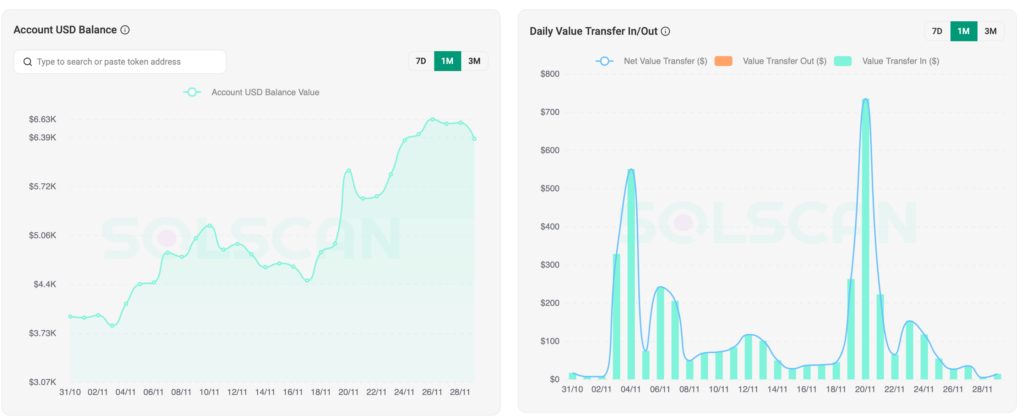
    In November 2025, users reclaimed a total of 506.82 SOL (equivalent to ~$69,490.09 on that day). All claim and transfer transactions, as well as balances, can be verified on our Solscan Program page.


    📲 Solana Mobile Wallet Integration

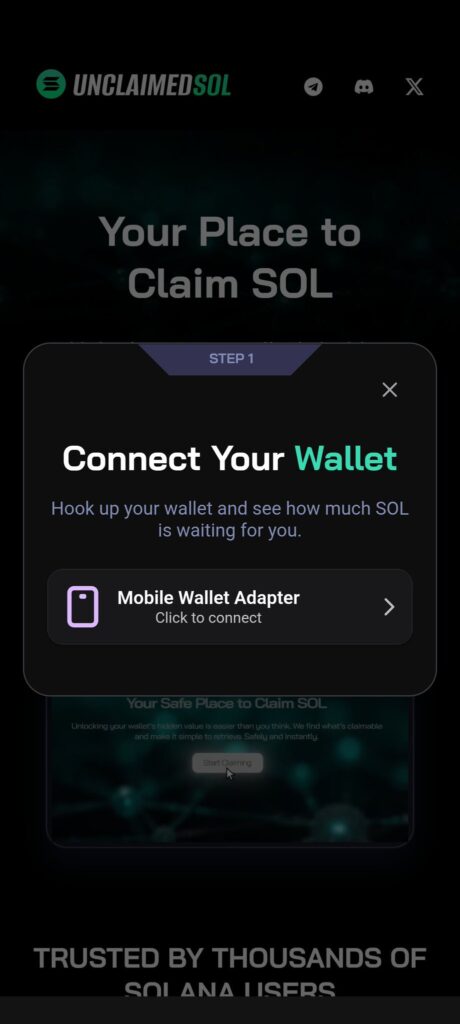
    Unclaimed SOL officially landed on the Solana Mobile dApp Store this month, making it fully accessible to users on Solana Mobile Seeker devices with native Seed Vault wallet support. This integration means anyone can now scan, verify, and claim their forgotten SOL directly from their phone, without relying on a desktop browser or extensions. It’s a big step toward true mobile-first usability on Solana and gives every Seeker user a fast, secure, and seamless way to recover unclaimed SOL wherever they are.
    Watch a demo video on Youtube to see how it works.


    🤝 GetBlock Partnership

    This month, GetBlock featured Unclaimed SOL on their platform, highlighting our tool as one of the key utilities in the Solana ecosystem. Their dedicated page showcases how our service helps users recover forgotten SOL from inactive accounts, and it gives us additional visibility within the wider developer community. While it’s not an official collaboration, having GetBlock spotlight our project feels like a nod of recognition and strengthens our relationship with one of the most trusted infrastructure providers in the space. You can find out more about us on our dedicated GetBlock page.


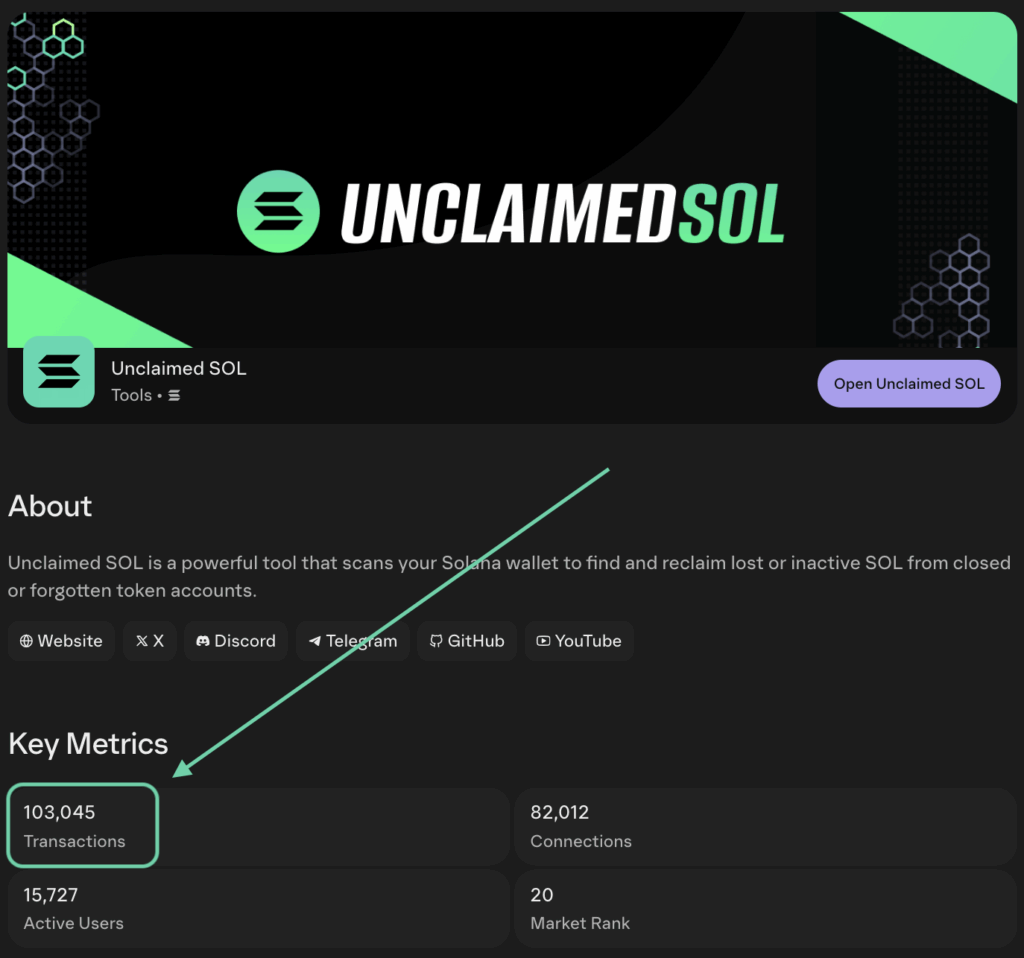
    👻 100,000+ Phantom transactions crossed

    New milestone unlocked: Unclaimed SOL officially crossed 100,000+ executed transactions on Phantom this month. This means over a hundred thousand successful wallet scans, claims, and transfers completed directly through the Phantom in-app browser. It’s a massive trust signal from the community and a clear indicator of how widely the tool is being used across the Solana ecosystem.


    👀 SolScan Program Labels

    Solscan officially added a verified label to the Unclaimed SOL program this month, making it easier for users to identify our contract and trust the tool when checking or claiming their SOL. Seeing our program show up with a clear label in Solscan’s search results is a big credibility boost and a strong signal that Unclaimed SOL is becoming part of the standard toolkit in the Solana ecosystem.


    💰 Highest Claim

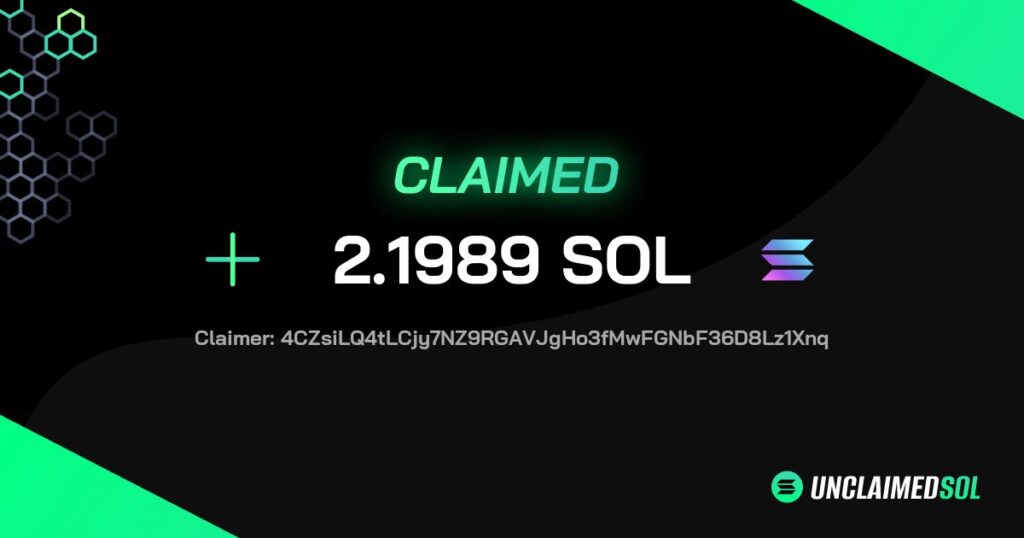
    The highest single claim this month reached an impressive 2.1989 SOL – all recovered from forgotten, inactive token accounts. It’s a great reminder of how much value can quietly accumulate over time and why checking your wallets with Unclaimed SOL is always worth it. Every month we continue to see surprising recoveries like this, proving that even small accounts can hold meaningful amounts waiting to be claimed. Congrats to the claimer and if you are reading this – reach out to us for a small reward!


    ⚫️ Black Friday Discount

    For Black Friday, we temporarily slashed our service fee from 5% down to just 1%, making it the cheapest time ever to recover forgotten SOL. The goal was simple – give everyone a chance to claim more of their value while showcasing how fast and easy the tool is to use. The response was strong, with many users taking advantage of the reduced fee to clean up old accounts and unlock SOL they didn’t even know they had.

    Stay tuned for more discounts like these as we won’t wait for the next Black Friday to make our users happier!

    Conclusion

    As we close out November, Unclaimed SOL continues to accelerate at a pace we couldn’t have imagined just a few months ago. From securing a Solscan program label to landing on the Solana Mobile dApp Store, every major update pushed the project forward. Users reclaimed more SOL than ever, the platform underwent key performance upgrades, and we celebrated a huge milestone with 100,000+ completed transactions inside Phantom.

    With December ahead and even bigger features on the way, Unclaimed SOL is ending 2025 strong and stepping confidently into the new year 🎉.

  • Unclaimed SOL October 2025 Recap: Total Claims and Updates

    Unclaimed SOL October 2025 Recap: Total Claims and Updates

    A Big Month for Unclaimed SOL

    October 2025 was one of the biggest months yet for Unclaimed SOL, the platform that helps Solana users recover unclaimed tokens and claim SOL.
    Thousands of wallets reconnected to the site to check balances, claim airdrops, and unlock leftover rewards. The result? Hundreds of SOL reclaimed, representing thousands of dollars in value that had been sitting idle across the network.

    But the month wasn’t just about the numbers. Unclaimed SOL also took major steps in visibility, credibility, and community growth – from new platforms and partnerships to real-world promotions.


    Total Claimed

    In October 2025, users have reclaimed 433.85 SOL (equivalent of ~$82,430.68 USD). You can check all transactions on our program Solscan page.


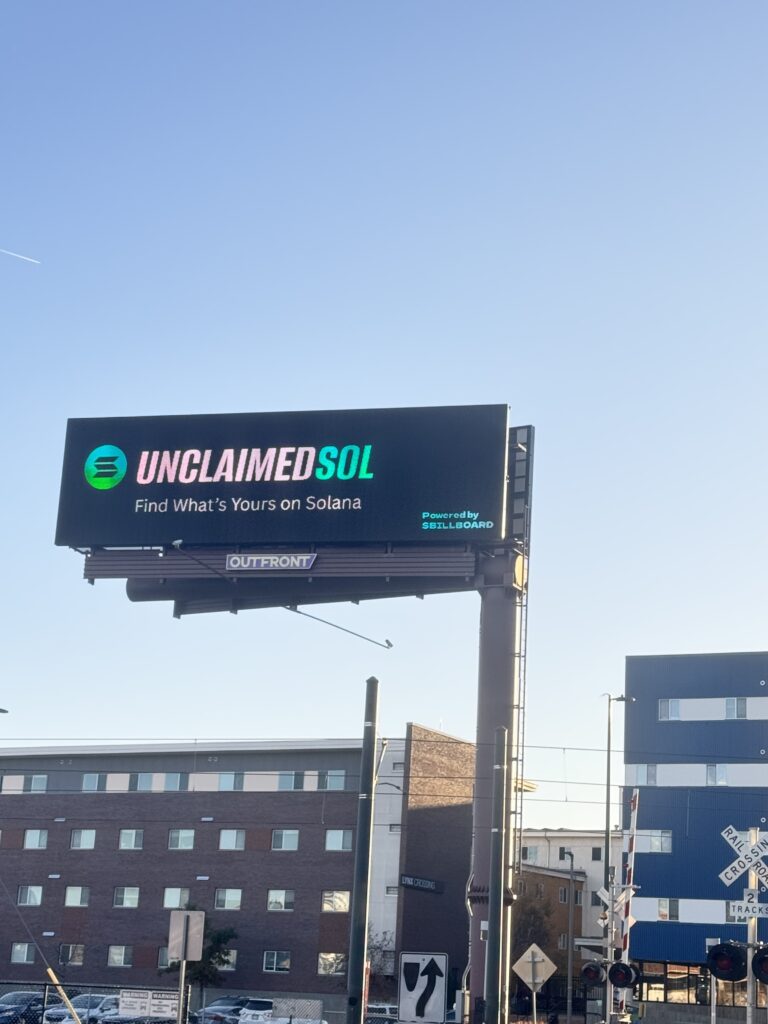
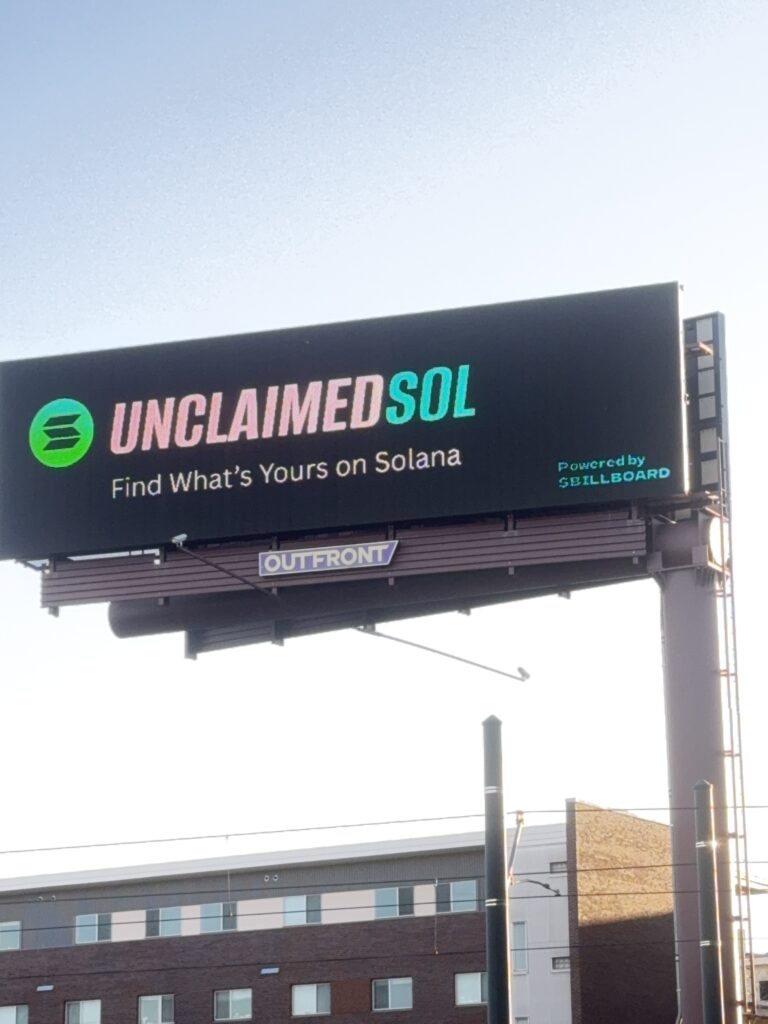
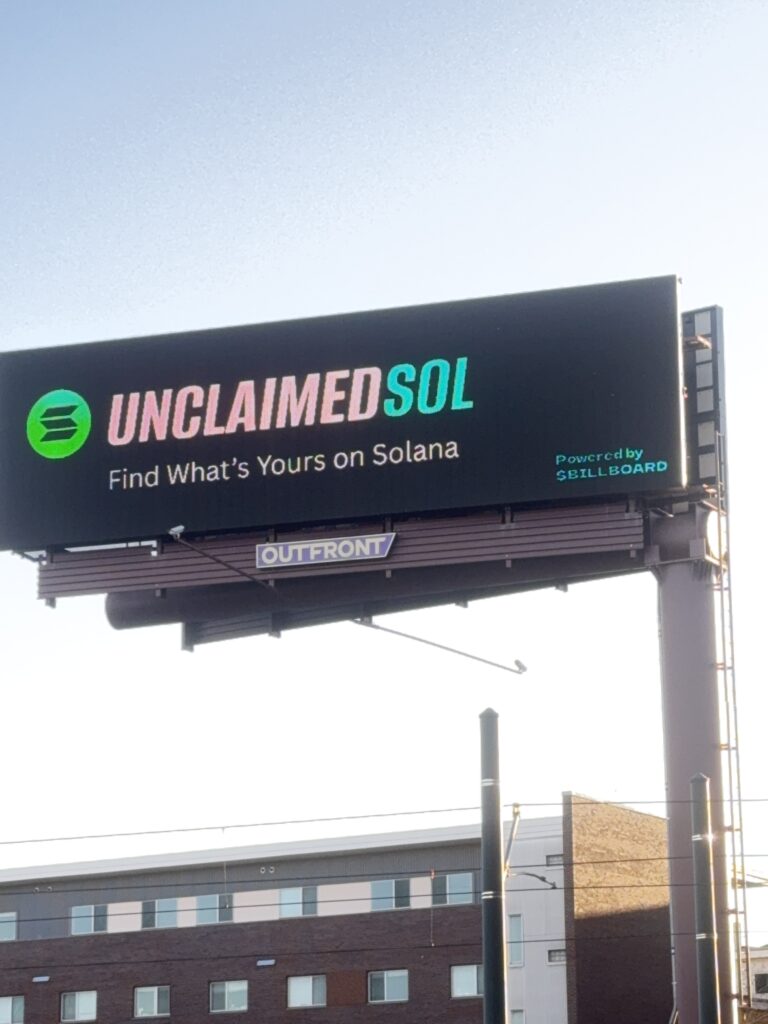
    Billboard in Denver

    In a bold marketing move, Unclaimed SOL launched a billboard in Denver, marking its first large-scale public appearance outside the crypto community. The campaign helped bring Solana awareness to a broader audience and showed that blockchain projects can connect with real-world audiences too.

    Read the full post on X here: https://x.com/unclaimed_sol/status/1984043726440952007


    Joining Instagram and TikTok

    UnclaimedSOL officially expanded its presence to Instagram and TikTok, giving users more ways to stay updated. The team began sharing short educational clips, platform updates, and community highlights — helping new users understand how to find and claim their unclaimed SOL quickly and securely.

    Instagram: https://www.instagram.com/unclaimedsol/
    TikTok: https://www.tiktok.com/@unclaimedsol


    Halloween Giveaway

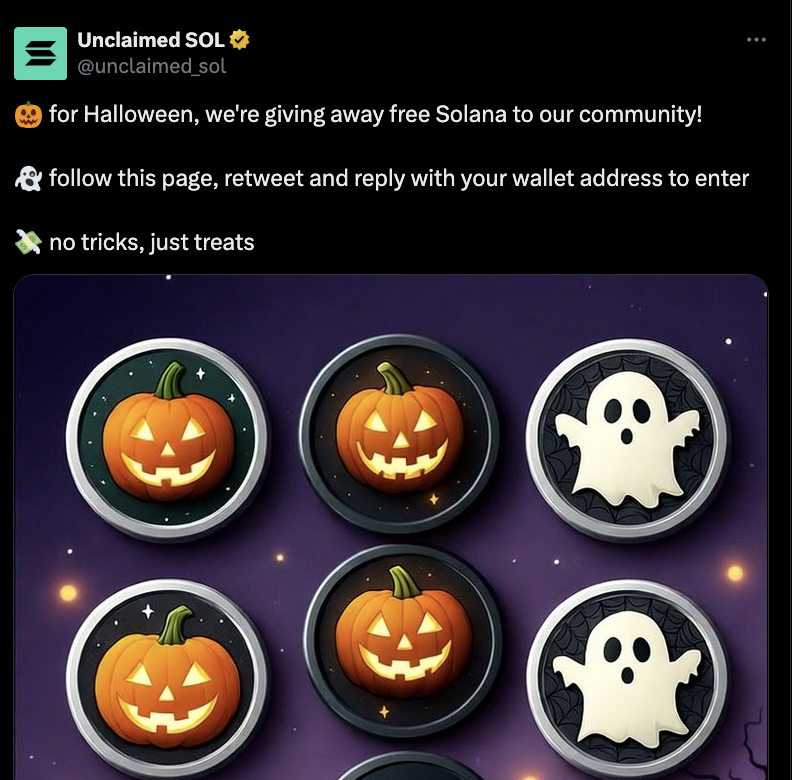
    October also brought some fun with a Halloween giveaway, which rewarded community members for checking their wallets and sharing the campaign. The event boosted engagement and brought even more visibility to the project’s mission of helping users recover lost value on Solana. Check the post here.


    Audited by CyberScope

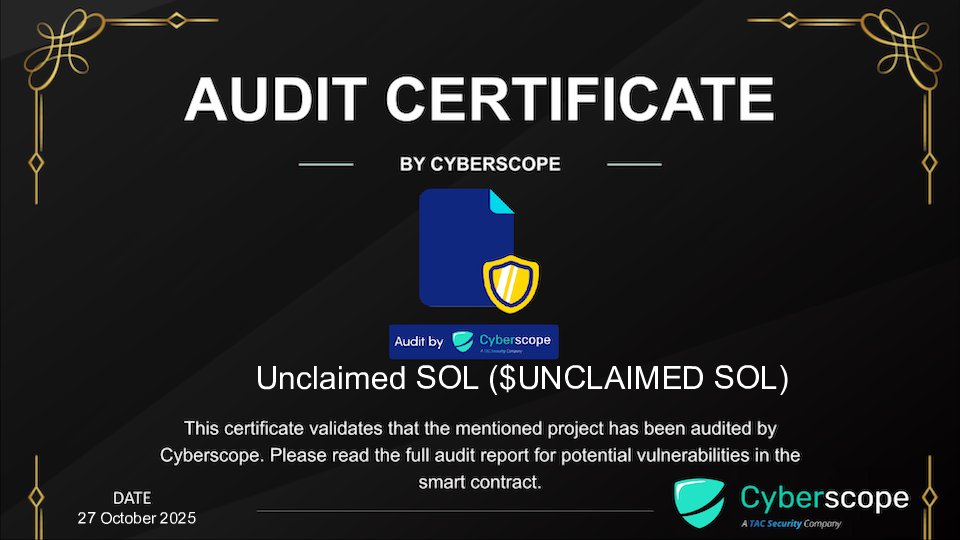
    Security and transparency took center stage as Cyberscope, a well-known blockchain auditing firm, completed a full audit of Unclaimed SOL. The audit confirmed the safety and reliability of the platform, giving users more confidence when connecting their wallets and claiming tokens.

    You can view the full audit on CyberScope audit page: https://www.cyberscope.io/audits/unclaimed-sol


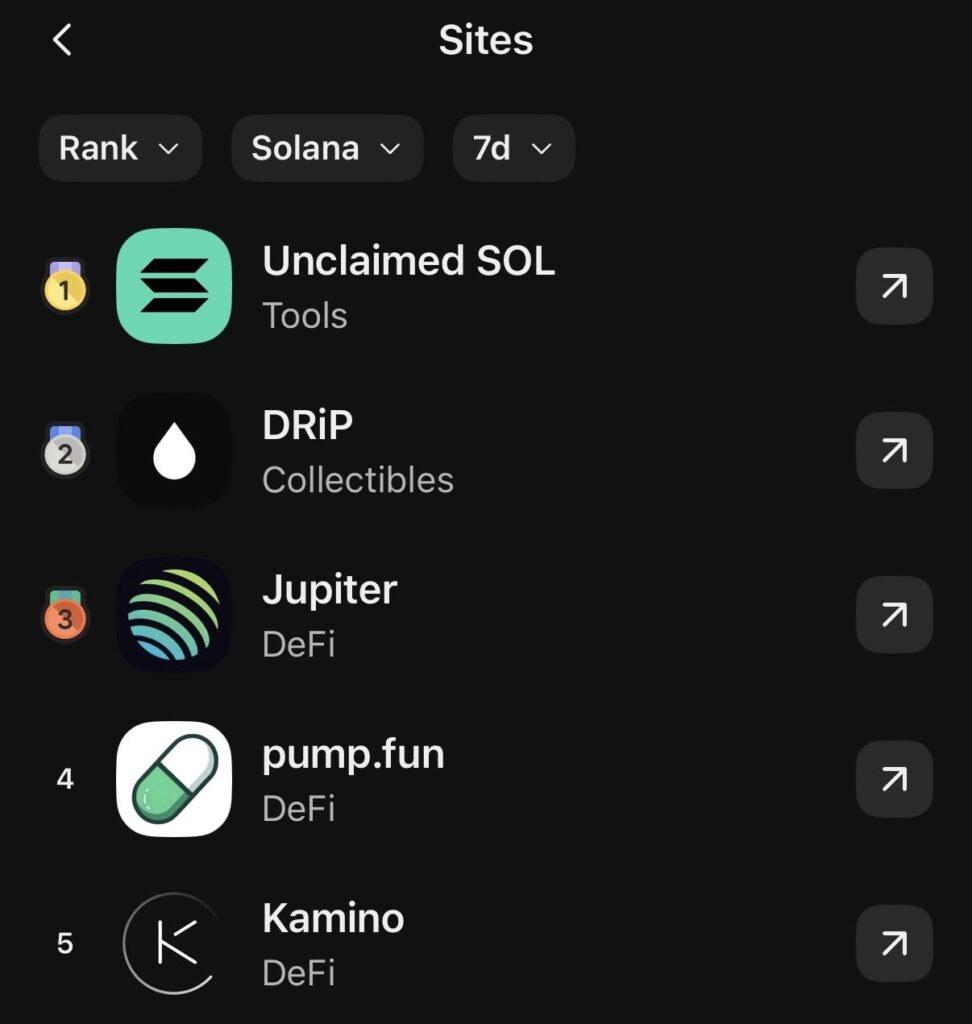
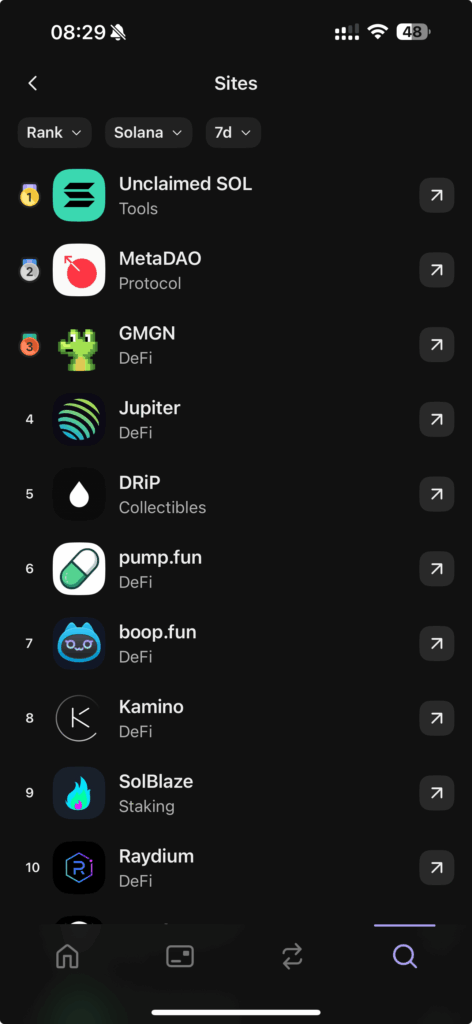
    Trending #1 on Phantom

    Unclaimed SOL reached a major milestone by trending #1 on Phantom’s weekly leaderboard, showing a surge in user adoption and community trust. This ranking reflected strong engagement, consistent claims, and rapid growth across the Solana ecosystem.


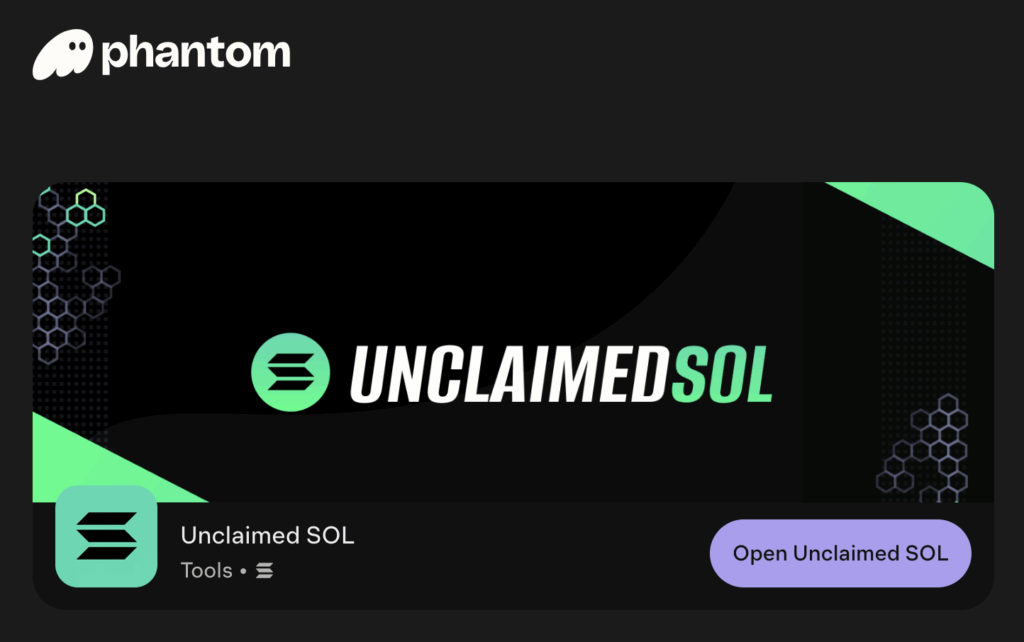
    Approved and Listed on Phantom’s dApp Store

    To top off the month, UnclaimedSOL was officially approved and listed on Phantom’s dApp store. This recognition placed it alongside the most trusted tools in the Solana ecosystem, making it easier for users to discover and access the platform directly through their wallets.


    The Bigger Picture: Reclaiming Value Across Solana

    The October 2025 recap highlights how much value still exists in unclaimed tokens and rewards. Each successful claim adds liquidity back to Solana’s active economy, while helping users recover funds they might not even know they had.

    With growing awareness, verified audits, and Phantom’s backing, UnclaimedSOL continues to build credibility as the go-to utility for reclaiming lost SOL.


    How to Check for Unclaimed SOL

    Checking for unclaimed tokens is fast and simple:

    1. Go to UnclaimedSOL.com
    2. Connect your Solana wallet
    3. Instantly view and claim any eligible balances or rewards

    No scripts, no technical setup — just transparency and ease of use.


    Final Thoughts

    October 2025 wasn’t just another month of claims — it was a turning point.
    From public visibility in Denver to official Phantom integration and verified security by Cyberscope, Unclaimed SOL is proving that simplicity, safety, and trust can coexist in crypto.

    As more users reconnect with their wallets, the Solana ecosystem continues to grow stronger – one reclaimed SOL at a time.

  • Weekly Report: Over 320 SOL Claimed This Week

    Weekly Report: Over 320 SOL Claimed This Week

    Introduction

    The past seven days have been incredible for Solana users reclaiming their hidden balances.
    According to our latest data, over 320 SOL were claimed this week through UnclaimedSOL, a platform that helps users recover rent fees and forgotten assets safely from their wallets.

    Weekly SOL Claimed

    This weekly report breaks down how much SOL was claimed, where it came from, and what it means for the growing Solana community.


    How “Claimed SOL” Is Calculated

    Whenever a user runs a cleanup on UnclaimedSOL, the app automatically scans their wallet for inactive token accounts, closed DeFi program leftovers, and unused mints.
    Each cleanup returns a small balance, usually between 0.001 and 0.004 SOL per account, directly to the user’s wallet.

    To keep the network sustainable, a tiny service fee of 5% is sent to our operational wallet. By analyzing this wallet on-chain, we can accurately estimate the total SOL claimed by all users across the platform.


    Weekly On-Chain Overview

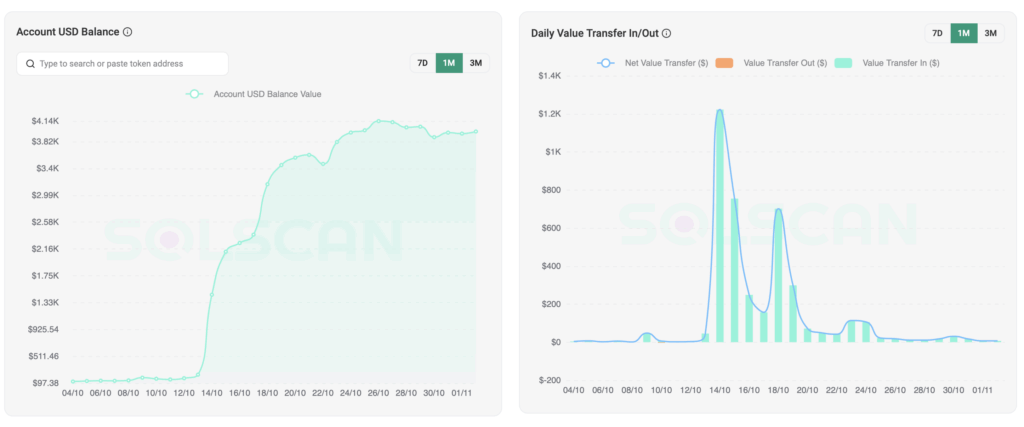
    Between 12 October and 19th October, here’s what happened on UnclaimedSOL:

    • Total fees collected: $2.994
    • Total USD value recovered: 2994 / 0.05 = $59.880
    • Number of wallets cleaned: 12.057
    • Number of transactions: 21.308
    • Average claimed per wallet: 0.027 SOL (equivalent to $4.97)

    Every number above comes straight from the Solana blockchain, publicly verifiable through explorers like Solscan by inspecting our fee address: uncNCRycMtNPj2kXHfwiCgNrzCTnC9xU5FS8ZeWyn3M. No estimates – only real, on-chain data. We have also pulled screenshots from Solsan for the stats so you can check below.


    Visualizing the Claimed SOL

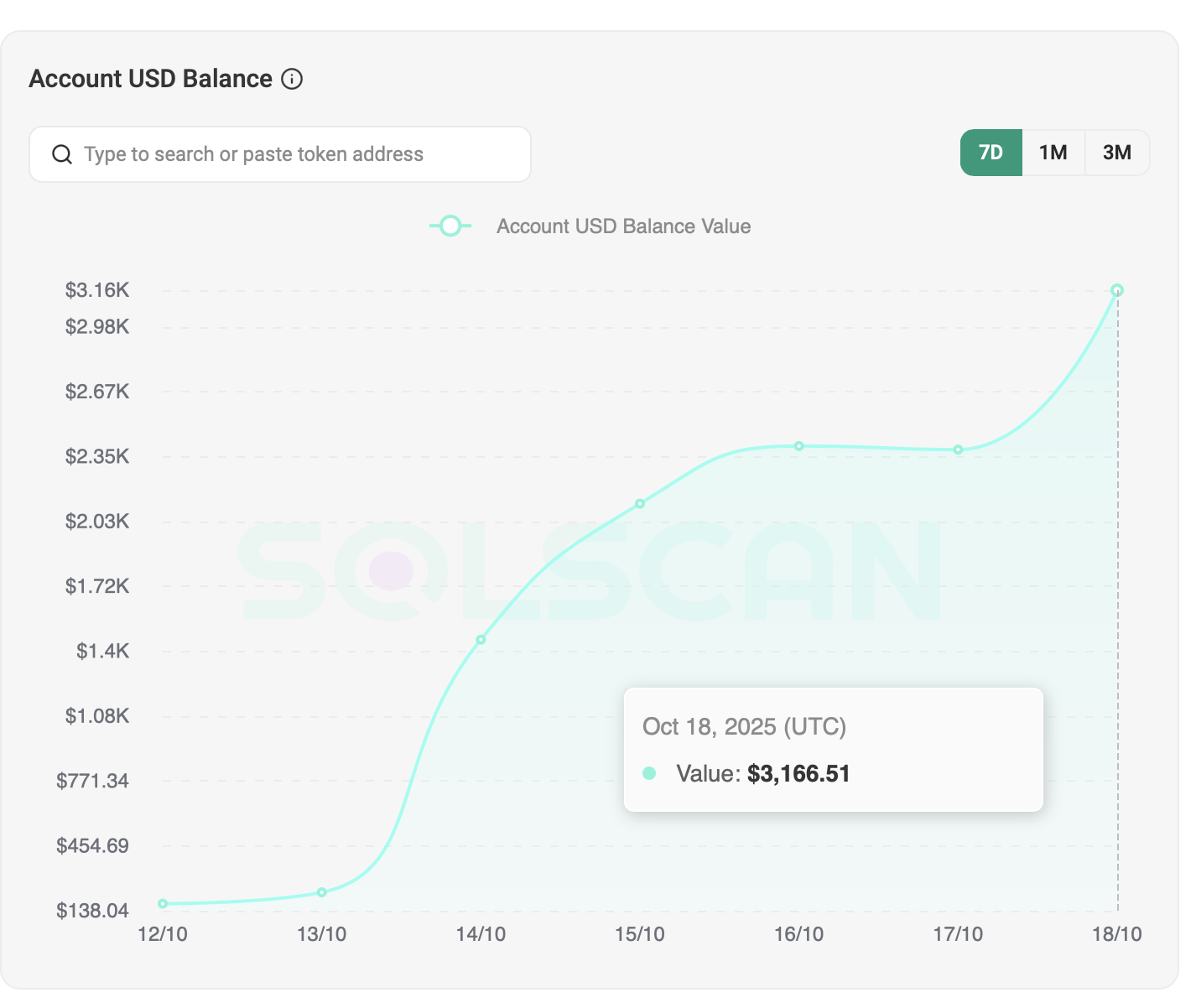
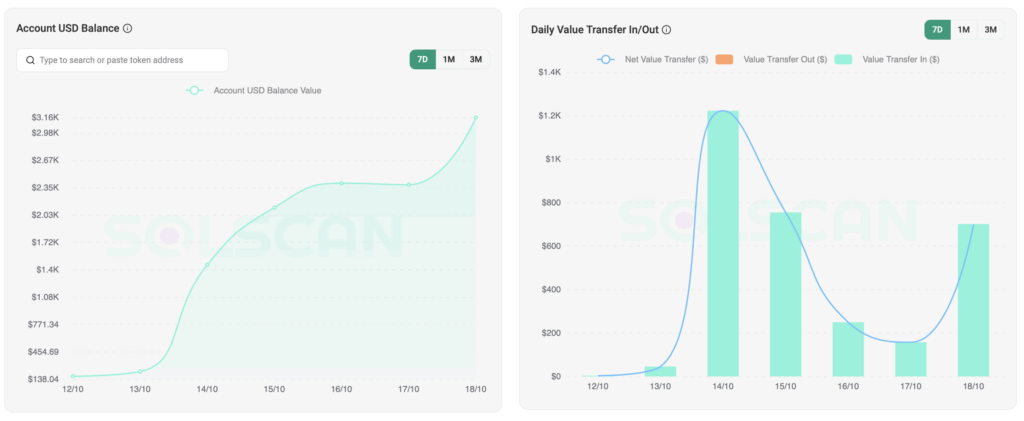
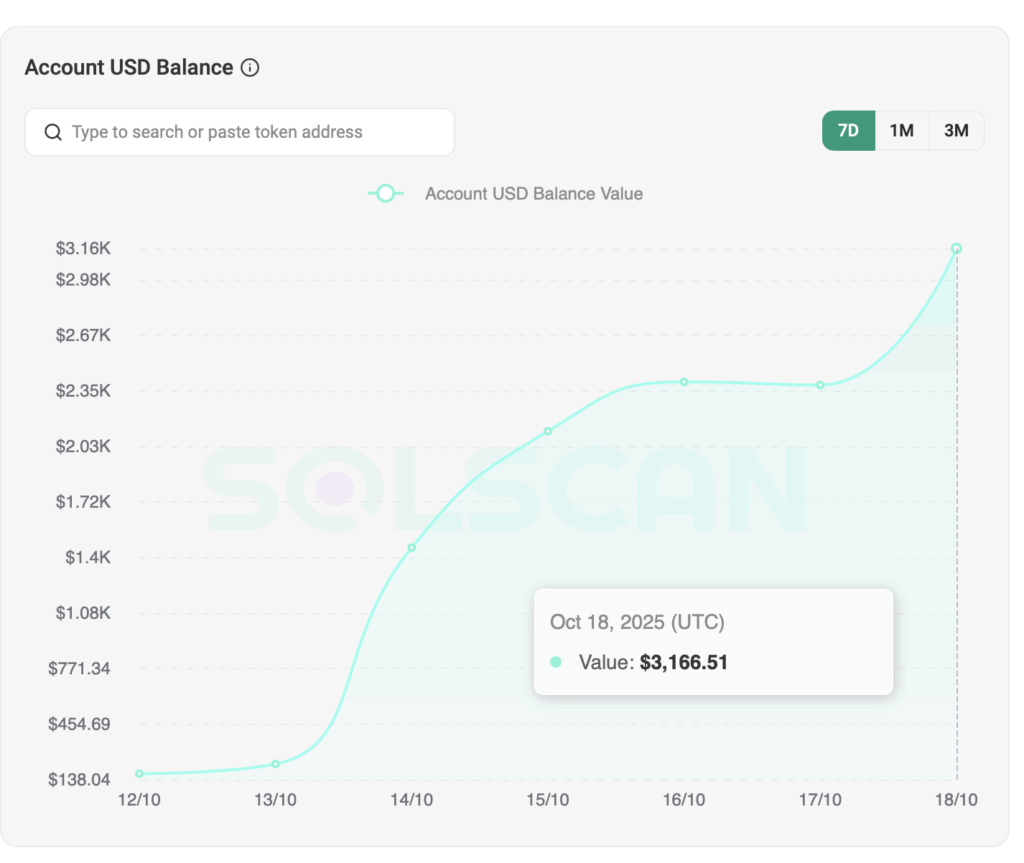
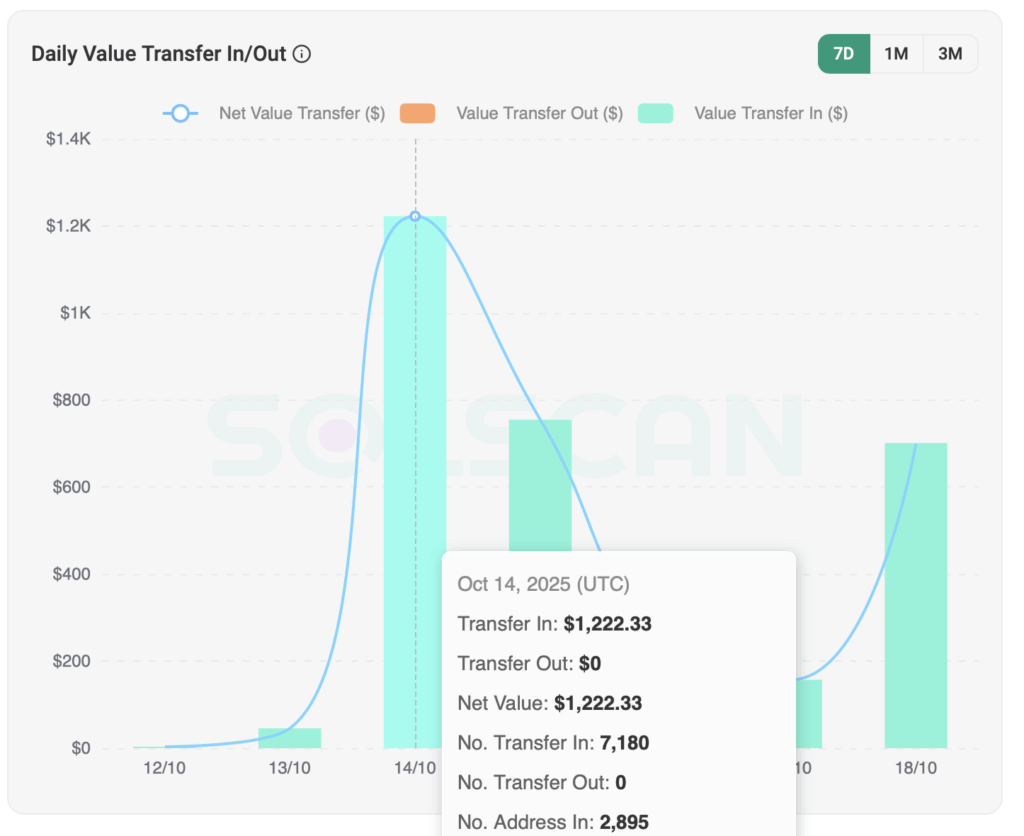
    To make weekly tracking easier, we have added a few screenshots from Solscan. These charts show the total operational wallet balance and number of transactions per day for the past 7 days.

    Solscan Account Balance
    Solscan: Account USD Balance from 12th October to 19th October
    Solscan: Number of daily transactions from 12th October to 19th October

    Why This Matters

    Cleaning up wallets isn’t just about free SOL. It keeps the Solana network lightweight and efficient.
    Every closed token account reduces blockchain storage, lowers validator load, and improves performance across the ecosystem.

    So each time users claim SOL, they’re also contributing to a cleaner, faster, and more sustainable Solana.


    Overall Stats by Phantom

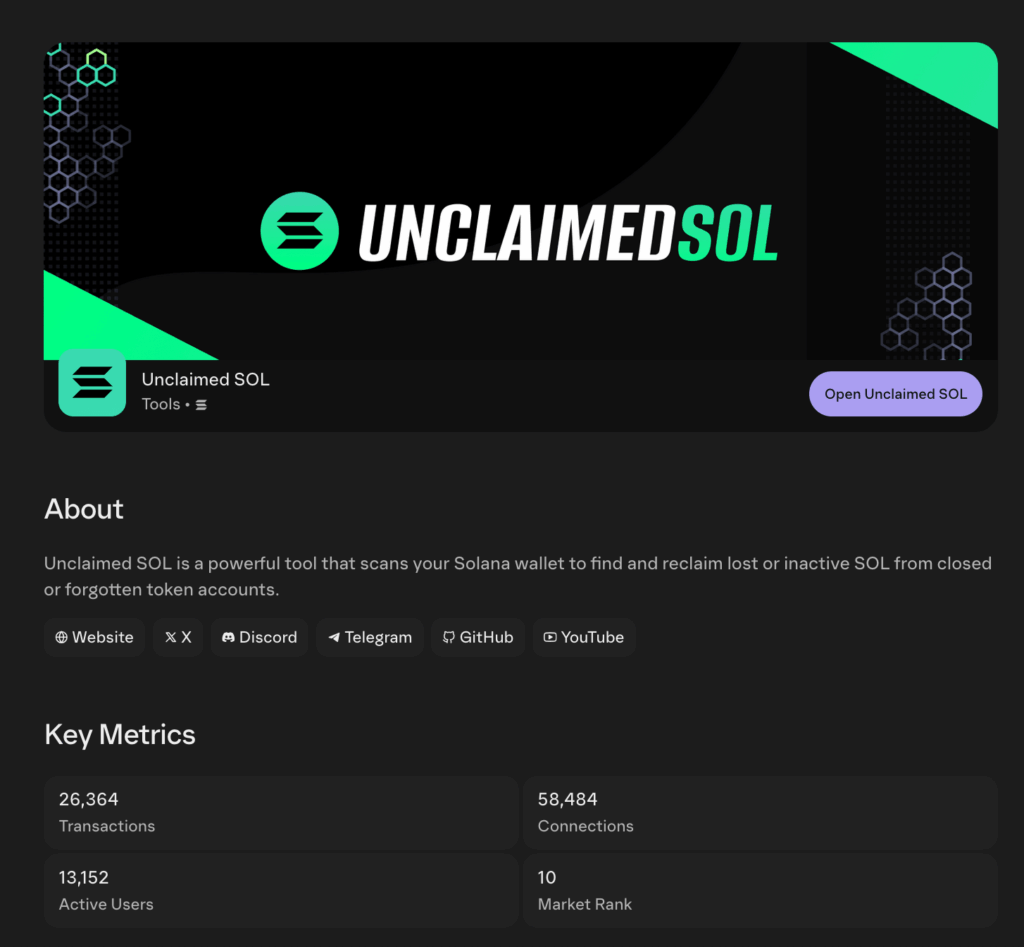
    If you navigate to Unclaimed SOL Phantom App Page you can see overall metrics of 25k+ transactions, almost 60k connections and 13k+ active users. This puts Unclaimed SOL in the very top of all Claiming Tools with a market rank of 1.

    Phantom All-time Statistics for Unclaimed SOL

    This level of activity positioned Unclaimed SOL to the #1 Market weekly rank:

    Unclaimed SOL being #1 on Phantom Trending Weekly Market Rank

    Community Spotlight

    We’ve received messages from users who discovered 1–3 SOL they didn’t even realize they still had.
    Many had old NFT accounts or DeFi pools that were quietly costing rent. By reclaiming that value, users are now re-engaging with Solana — and spreading the word about how much SOL can still be claimed.

    If you’ve benefited from UnclaimedSOL, tag us on X (@UnclaimedSOL) with your story. We might feature it in next week’s report!


    Highest Claimer

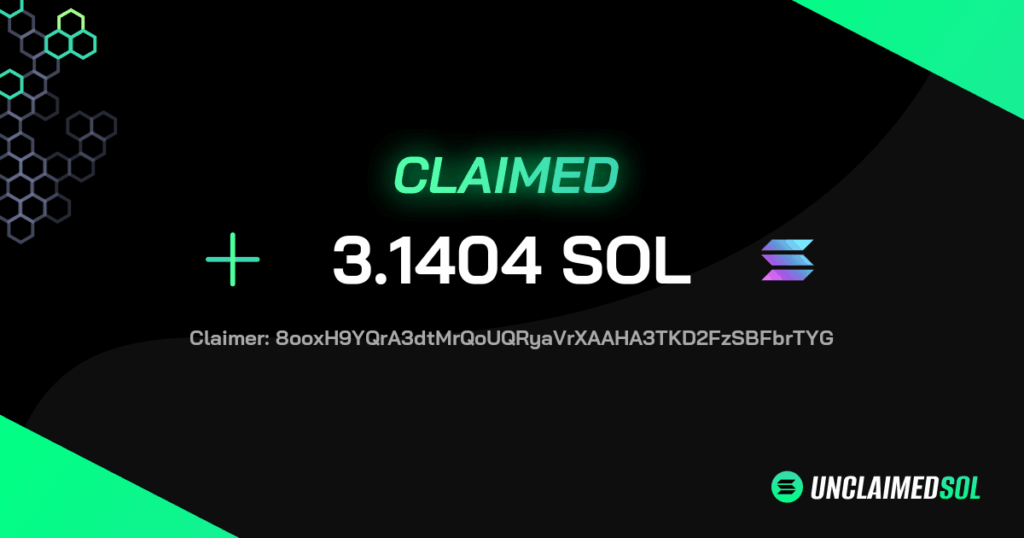
    The report would not be complete without us showing who claimed the most SOL in the past week. The crazy amount of 3.1404 SOL has been claimed by 8ooxH9YQrA3dtMrQoUQRyaVrXAAHA3TKD2FzSBFbrTYG. Congratulations to insane 141 total transfers and more than $580 claimed! If you are reading this, reach out to us for a reward!

    Unclaimed SOL: The highest claimer in the past week

    Final Thoughts

    Over 320 SOL claimed in just one week proves that even small amounts can add up when the community acts together.
    Whether you’re a long-time DeFi explorer or someone returning to Solana after months, UnclaimedSOL makes it simple to check, clean, and reclaim what’s rightfully yours – safely and instantly.

    👉 Check your wallet now!


    Read more?

    Check out our comparison post on how Unclaimed SOL gives you the most rewards: Sol Incinerator vs Unclaimed SOL vs Claim Your SOL – Who Gives You the Most SOL?

  • Sol Incinerator vs Unclaimed SOL vs Claim Your SOL – Who Gives You the Most SOL?

    Sol Incinerator vs Unclaimed SOL vs Claim Your SOL – Who Gives You the Most SOL?


    Every Solana wallet hides unclaimed SOL – small rent deposits stuck inside old token accounts from test mints, rugs or forgotten airdrops. A few specialized tools promise to help you recover that money. The three most used are Sol Incinerator, Claim Your SOL, and Unclaimed SOL.

    Claim Most SOL on Solana

    All three have the same goal: help you claim SOL from inactive accounts or low valued tokens. But how they do it – and how much you actually get back – is where things change.


    What These Tools Actually Do

    Each SPL token account locks a small amount of SOL as rent. When that account is closed, the rent goes back to your wallet. Over time, that can mean 0.5 to 10 SOL sitting idle.

    These apps scan your wallet, find zero ow low balance accounts and send a transaction to burn or close them. In return, you reclaim the rent. The key difference between tools is how flexible, transparent and cheap they are.

    1. Sol Incinerator – Reliable Pioneer That Lacks Fee Transparency

    Sol Incinerator deserves credit for being one of the first working claim tools on Solana. It set the standard early and, years later, it’s still online and functional – proof of strong technical foundations and trust from the community.

    Sol Incinerator alternative page.

    That said, the user experience hasn’t kept up with newer platforms. The interface feels a bit heavy and the font styling can make it tiring for long sessions. The real concern, however, is fee transparency: users don’t see an exact percentage before claiming, and final deductions often vary. There is also no option to select all tokens at once.

    In crypto, transparency matters. For a service with this much history and recognition, clearer fee disclosure would go a long way.

    Pros

    • Longest-running and battle-tested tool
    • Supports Ledger
    • Stable performance under network load

    Cons

    • No upfront fee breakdown (fee unknown)
    • Interface could use modern polish
    • Limited clarity on transaction cost reporting
    • Cannot select all tokens at once

    Claim amount

    For the testing wallet that we used, SOL Incinerator detected 1 empty account, and 13 ltokens. The total amount of rewards was 0.03 SOL

    2. Claim Your SOL – High Fees, Basic Functionality

    Claim Your SOL positions itself as beginner-friendly, but the numbers tell another story. The tool currently takes around 20% in service fees, which is far above market average. That means if you recover 1 SOL of rent, you only keep 0.8 SOL — the rest goes to the platform.

    The interface is simple enough for small wallets, but lacks advanced features like burning small valued tokens for even more rewards.

    Fee: ~20%, on every claim
    Burn support:

    Claim Your SOL works, but if you actually want to claim most SOL back, this tool is simply too expensive for what it does and does not detect anything except empty tokens of a single kind. It wasn’t able to detect any empty token accounts and the reward was 0 SOL.


    3. Unclaimed SOL – Transparent and Cheapest

    This is where Unclaimed SOL dominates. It was built by Solana developers who understood how much rent was being lost to inefficient tools.

    Pros:

    • Lowest fee (only 5%)
    • Clean User Interface for Simple Cleanup
    • API integration used by bots like SOL Sniper and explorers like Solscan

    Cons:

    • Due to process simplification, some assets are grouped and not divided into categories which does not give clear overview of the asset type/category

    During the claim process, using the same wallet, Unclaimed SOL detected 17 assets and gave the total reward of the winning 0.0334 SOL


    Feature-by-Feature Comparison

    FeatureClaim Your SOLSol IncineratorUnclaimed SOL
    Average Fee20%Unknown5%
    User InterfaceClutteredDated Clean
    Fee TransparencyYesNoYes
    SupportFastFastFastest
    Closes empty token accountsYesYesYes
    Burns and closes low valued tokensNoYesYes
    Integrations (API/SDK)NoYesYes
    Looks for old defi programs and dustNoNoYes

    Real User Feedback

    Traders across Twitter and Discord often share that Unclaimed SOL returns more than other tools. One user said:

    “checked @unclaimed_sol on a whim – turns out I had some SOL just sitting there unclaimed. connect > sign > done. rewards were higher than other sites kinda wild how easy it was ” – view post by Kate Miller

    Stories like that spread fast – and for good reason. Transparency builds trust.


    Common Mistakes to Avoid

    Even with the best reclaim tools, some users lose value because they:

    • Run older wallet versions with failed close instructions
    • Forget to approve all batch transactions
    • Skip the preview step and misunderstand net returns
    • Mix airdrop claim tools with rent-reclaim ones

    Always review the estimate and run a small test first.


    The Future of Claim Tools on Solana

    Expect smarter “rent reclaim” systems ahead. As the ecosystem matures, tools like Unclaimed SOL are already exploring integration with wallets and DEX dashboards, turning claiming into a background process.

    Meanwhile, older tools like SOL Incinerator, even though famous, may struggle to keep up with scale and newer demands. The ones who invest in automation and transparency will dominate – and those are the exact areas Unclaimed SOL leads in today.


    Final Verdict – Who Lets You Claim Most SOL?

    After testing all three, the results are clear:

    RankToolRewardStrengthBest For
    🥇#1Unclaimed SOL0.0334 SOLLowest fees, clean processRegular traders, devs
    🥈#2Sol Incinerator0.03 SOLFamous but does not detect everythingDetailed burn logic
    🥉#3Claim Your SOL0 SOLFast but expensiveCasual users

    If your goal is to claim most SOL possible with minimal cost, UnclaimedSOL.com gives you the highest return rate, the lowest fees, and full transparency before you click “Claim.”

    In short – less hype, more SOL back in your wallet.


    FAQ

    1. What does “claim most SOL” mean?
    It refers to recovering the highest possible amount of rent locked in old token accounts after fees as well as low valued tokens.

    2. Is all of the above tools safe?
    Yes. They use on-chain smart instructions and signs only locally through your wallet.

    3. Can I use these tools for free?
    You pay only a small on-chain fee plus the tool’s service cut. Unclaimed SOL’s fee is currently around 5%, making it the cheapest option.

  • Close and Burn Solana Tokens: 5 Easy Steps Using web3.js

    Close and Burn Solana Tokens: 5 Easy Steps Using web3.js


    Introduction

    If you’ve been using Solana for trading, minting, or testing projects, your wallet has likely turned into a jungle of token accounts.
    Every airdrop, mint, or failed project leaves behind extra SPL token accounts — most of them empty, all of them costing rent.

    burn solana tokens

    Manually closing and burning tokens one by one takes forever, and writing the same script from scratch each time is just wasted effort.
    Fortunately, there’s a clean and secure way to burn Solana tokens in bulk while reclaiming rent automatically — using an open-source SDK from Unclaimed SOL.

    ⚙️ What Does It Mean to Burn Solana Tokens?

    On Solana, every SPL token you hold lives inside a small account called an ATA (Associated Token Account).
    Each account costs a bit of SOL to stay active.
    When a token becomes useless — maybe from an airdrop or an abandoned project — you can burn it, which means permanently removing those tokens from circulation.

    Once burned, you can close the token account, releasing the rent deposit (in SOL) back to your main wallet.
    It’s a double win: fewer tokens cluttering your wallet, and more SOL returned to you.


    ⚡ Integrate It into Your App or Trading Bot

    If you’re building a trading bot, analytics dashboard, or Solana wallet manager for users, you can easily integrate this SDK directly into your backend or UI.
    By adding a simple “Claim SOL” or “Burn Tokens” button, users can clean their wallets and reclaim rent automatically — all through your app, using their connected wallet.

    This makes your product more complete while helping users keep their balances optimized.


    🧠 Why You Should Burn Tokens Regularly

    Here’s why cleaning up your wallet and burning unused tokens actually matters:

    • 💰 Recover rent deposits: Every closed account gives you back a small amount of SOL.
    • 🧹 Stay organized: You avoid hundreds of “ghost” token accounts that confuse explorers and bots.
    • 🔒 Improve wallet safety: Fewer accounts = fewer possible errors or scam tokens.
    • Speed up tools and bots: Cleaner wallets mean faster balance checks and smoother performance.

    If you’ve ever traded meme coins or tested multiple DeFi protocols, burning Solana tokens can easily recover a few SOL and make your wallet feel brand new again.


    🧩 The Best Way to Burn Solana Tokens in Bulk

    There’s now a simple open-source SDK that automates this process:

    👉 @unclaimedsol/spl-burn-close-sdk

    This package lets developers and power users batch burn tokens and close accounts in one go — all while keeping full control of their wallet and private keys.

    The SDK doesn’t submit or sign transactions for you; it just builds them. You decide what to burn, when to send, and which connection or wallet to use.


    🧰 Quick Setup (web3.js Example)

    1️⃣ Install the SDK

    npm install @unclaimedsol/spl-burn-close-sdk

    Make sure @solana/web3.js is already installed.

    2️⃣ Import the functions

    import { buildBurnAndCloseTransactions, PROGRAM_ID } from "@unclaimedsol/spl-burn-close-sdk";

    3️⃣ Prepare your environment

    You’ll need:

    • A Connection (to Mainnet)
    • Your Keypair or PublicKey
    • A list of token mints and corresponding ATA addresses you wish to burn and close

    4️⃣ Build transactions

    const txList = await buildBurnAndCloseTransactions(connection, ownerKeypair, mintAccounts);

    Each transaction is built according to Solana’s limits — the SDK automatically splits them into multiple batches if necessary.

    5️⃣ Sign and send

    Loop through each transaction, sign it using your wallet, and send via RPC.
    Once processed, you’ll see the SOL rent returned to your balance.


    🚀 What Happens Behind the Scenes

    • 🔥 Burns non-zero token balances
    • 🧹 Closes empty ATAs and sends rent back to your wallet
    • 💸 Sends a small 5% dev fee to Unclaimed SOL (for maintaining the SDK)
    • ⚡ Batches transactions automatically for speed and simplicity

    This SDK works perfectly for:

    • 🖥️ Backend scripts and bots
    • 🌐 Frontend dApps with Wallet Adapter
    • 🤖 Automation tools and dashboards

    🧾 Demo Repository

    You can find a working example here:
    👉 close-burn-token-account-solana


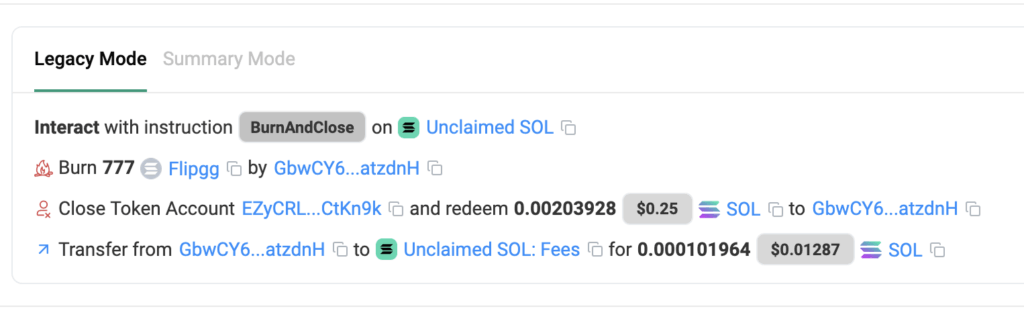
    You can view the transactions on Solscan — just switch to Legacy Mode to see every burn and close instruction clearly.

    The output often shows two or more transactions depending on how many tokens your wallet had.


    🔒 Safety Tips

    • Always be careful when burning tokens on Mainnet.
    • The SDK never sends or signs for you — you’re in full control.
    • Avoid any scripts that ask for your seed phrase or private key.
    • Use a hot wallet with no valuable assets for testing.
    • Read the SDK’s open-source code — it’s short, transparent, and easy to audit.

    💬 Why This Tool Saves Time

    If you’ve built bots or scripts for Solana, you’ve probably written token-cleaning logic more times than you’d like to admit.
    This SDK eliminates that repetition. With one clean function call, you can burn Solana tokens and close dozens of accounts in under a minute — no messy boilerplate, no trial-and-error loops.

    For developers maintaining multiple wallets or automation pipelines, this tool can literally save hours per week.


    🏁 Conclusion

    Cleaning up your wallet isn’t just about organization — it’s about efficiency and reclaiming lost value.
    With @unclaimedsol/spl-burn-close-sdk, you can easily burn Solana tokens, close their accounts, and get back your SOL rent — all while staying fully in control.

    If your wallet’s full of junk tokens from old airdrops or test mints, take five minutes to clean it up.
    A lighter wallet is a safer wallet — and sometimes, it even puts a little SOL back in your pocket.

  • How to Claim SOL – 5-Step Powerful Guide for Solana Users

    How to Claim SOL – 5-Step Powerful Guide for Solana Users

    Introduction

    If you’ve used Solana for a while — traded, minted NFTs, or tried DeFi — chances are you’ve left behind some SOL you didn’t even know about.
    Small fractions of SOL can remain locked in inactive wallets, old token accounts, or abandoned program deposits. These balances belong to you, but you must claim SOL to get them back.

    Claim SOL

    The good news? You don’t need to be a developer or blockchain expert to do it.
    In this guide, you’ll learn what “claiming SOL” really means, how to do it safely, and how to make sure you never lose track of your tokens again. If you’re not sure what ‘claiming SOL’ actually means or why it happens, this is all explained step by step in our claim SOL guide.


    1. What Does It Mean to Claim SOL?

    Every time you interact with a smart contract or hold a token on Solana, your wallet creates a small “token account.”
    Each of these accounts must hold a tiny amount of SOL as rent to stay active. When you no longer use those tokens — or when a DeFi program shuts down — those rent deposits remain stuck.

    When you claim SOL, you’re basically closing those unused accounts and moving their balances back into your wallet. It’s like collecting change left behind in forgotten pockets — small pieces that, when added together, can be surprisingly valuable.


    2. Why It’s Important to Claim SOL

    There are three key reasons to make claiming SOL part of your crypto routine:

    • 💰 You recover real value. Even 0.1 or 0.2 SOL adds up, especially when the price rises.
    • 🧹 You keep your wallet clean. Too many open token accounts can clutter your wallet and slow performance.
    • 🔒 You protect your funds. Fewer inactive accounts mean fewer potential points of exposure.

    Many early Solana users have found between 0.5 and 3 SOL sitting in old wallets — completely forgotten until they ran a claim scan.


    3. The Safest Way to Claim SOL

    The easiest and safest method is through Unclaimed SOL— a free tool built specifically for this purpose.
    It automates the technical parts, keeping everything fully on-chain and transparent.

    Here’s how to claim SOL safely:

    1. Go to unclaimedsol.com (if you are using mobile app wallets, enter the address in those apps, for example Phantom or Solflare).
    2. Connect your wallet — no private keys or logins required.
    3. The system scans the Solana blockchain for inactive token accounts, rent deposits, and recoverable balances.
    4. Within seconds, it lists the accounts you can claim.
    5. Click Claim and confirm the transaction in your wallet (Phantom, Solflare, or Ledger).

    That’s it — your claimed SOL will appear in your wallet instantly, and every step can be verified directly on Solscan.


    4. How to Verify the Claim

    Transparency is what makes this process safe. Once your claim is complete, you can look for the transaction on Solscan or Solana Explorer to can confirm exactly what happened:

    • Which token accounts were closed
    • How much SOL was returned
    • The final amount sent to your wallet

    Everything is recorded directly on the blockchain. No one ever touches your funds but you.

    This kind of verification is essential because it protects users from scams — especially fake “claim” sites or Telegram bots that promise to recover tokens but actually steal wallets.


    5. Common Mistakes When Claiming SOL

    Even though it’s simple, many users still make common errors that cost them money. Avoid these:

    • ❌ Entering private keys anywhere — you never need to do that to claim SOL.
    • ⚠️ Clicking fake links that imitate the Unclaimed SOL site.
    • 🚫 Using “claim bots” or scripts from Telegram or Discord.
    • ❗ Forgetting to double-check your wallet before confirming transactions.

    If a site asks for a seed phrase or private key, close it immediately. The legitimate process never needs it.


    6. How Often Should You Claim SOL?

    Claiming SOL isn’t a one-time action. As you interact with new projects, new rent accounts appear.
    A good practice is to:

    • Run a claim scan every few days.
    • Especially before migrating to a new wallet.
    • And after any big trading, DeFi, NFT, or airdrop activity.

    You’ll be surprised how often small amounts build up again over time.


    7. Claim SOL – Simple Action, Big Impact

    When you claim SOL, you’re not just recovering your tokens — you’re helping clean up the Solana network.
    Each closed account reduces blockchain bloat and helps keep transaction speeds high.

    It’s a small but powerful action that keeps the ecosystem healthy while putting your SOL back where it belongs: in your wallet.

    Thousands of Solana users have already used Unclaimed SOL to recover funds they didn’t even know they had. It’s quick, free, and fully transparent — exactly how crypto should be.


    Conclusion

    If you’ve never checked your wallets, now’s the time to do it.
    Visit unclaimedsol.com, connect your wallet, and run a scan. You could be sitting on more SOL than you realize.

    Don’t let your value stay trapped in forgotten accounts — claim SOL today and take back what’s already yours.

  • How to Recover Lost SOL Tokens – Full Guide 2025

    How to Recover Lost SOL Tokens – Full Guide 2025

    Introduction

    If you’ve been active in the Solana ecosystem for a while, chances are you’ve left some tokens behind and could recover lost SOL— maybe a few airdrops, small balances, or rent fees locked in closed accounts. Many Solana users are surprised to learn they have unclaimed SOL sitting unused for months or even years.

    Recover Lost SOL

    This guide explains how you can recover those funds safely using Unclaimed SOL, a free tool built to help you reclaim what’s already yours.


    1. Why SOL Gets Lost

    SOL doesn’t vanish, but it often gets “stuck” in places you forget about.
    Here are the most common reasons:

    • You removed a token from your wallet, but the token account wasn’t closed.
    • You received small airdrops and never noticed them.
    • You used multiple wallets (Phantom, Solflare, Ledger) and lost track of which one holds what.
    • You participated in old DeFi or IDO projects that locked rent deposits.

    All these small fragments of SOL can add up. In some cases, users recover 0.01 or even 2 SOL just by checking old wallets.


    2. Scanning Your Wallets

    To start, make sure you have some accounts already added to your favourite wallet such as Phantom, Solflare or Coinbase.

    Then open unclaimedsol.com and connect your wallet. The system will automatically check:

    • Inactive or closed token accounts.
    • Rent-exempt balances.
    • Old program accounts with locked lamports.
    • And much more

    Within seconds, you’ll see a total amount of SOL that is yours and which you can claim.


    3. Claiming Your SOL Safely

    If unclaimed balances are found, the site will show a “Claim” button. Clicking it and approving the transaction(s) begins a secure process that transfers the recoverable SOL back to your active wallet.

    ✅ You never enter your private key.
    ✅ No third-party access to your funds.
    ✅ All transactions happen directly on-chain through your wallet (Phantom, Solflare, Ledger).

    The tool simply builds and sends the transaction for you to recover lost SOL — everything else is handled by Solana’s network.


    4. Keeping Track of What You Recovered

    After claiming, you can view a transaction summary and export a record for your personal bookkeeping on your favourite Solana explorer. This is useful if you plan to report your crypto holdings or track them for taxes.

    Most importantly, you’ll see exactly where each claim came from — old DeFi protocols, NFT mints, or token rent accounts.


    5. Avoiding Future Losses

    If you were able to recover lost SOL, take a few minutes to prevent it from happening again:

    • Keep one primary wallet for all Solana activity.
    • Periodically check your wallets using Unclaimed SOL (especially before migrating to a new wallet).
    • Bookmark trusted tools like Solscan and Solana Explorer to verify addresses.

    Even small rent deposits are worth claiming — they belong to you.


    6. Transparency

    One of the strongest points of Unclaimed SOL is transparency. Every scan, claim, and verification happens on the public Solana blockchain.
    That means you can open any transaction hash in Solscan and see exactly what occurred — which accounts were closed, how much SOL was reclaimed, and where it was sent.

    This open approach builds trust and prevents the hidden risks that often come with “recovery services” or random Telegram bots.
    Unlike centralized tools, Unclaimed SOL doesn’t touch or hold your assets — it only automates what you could technically do manually to recover lost SOL, saving you time and reducing the chance of error.


    Conclusion

    Lost SOL doesn’t mean gone forever. With tools like Unclaimed SOL, recovery is simple, safe, and fast. Whether it’s a few lamports or several tokens, every bit counts — and reclaiming them helps keep your wallet clean and efficient.

    So open your old wallets, run a scan, and take back what’s yours.