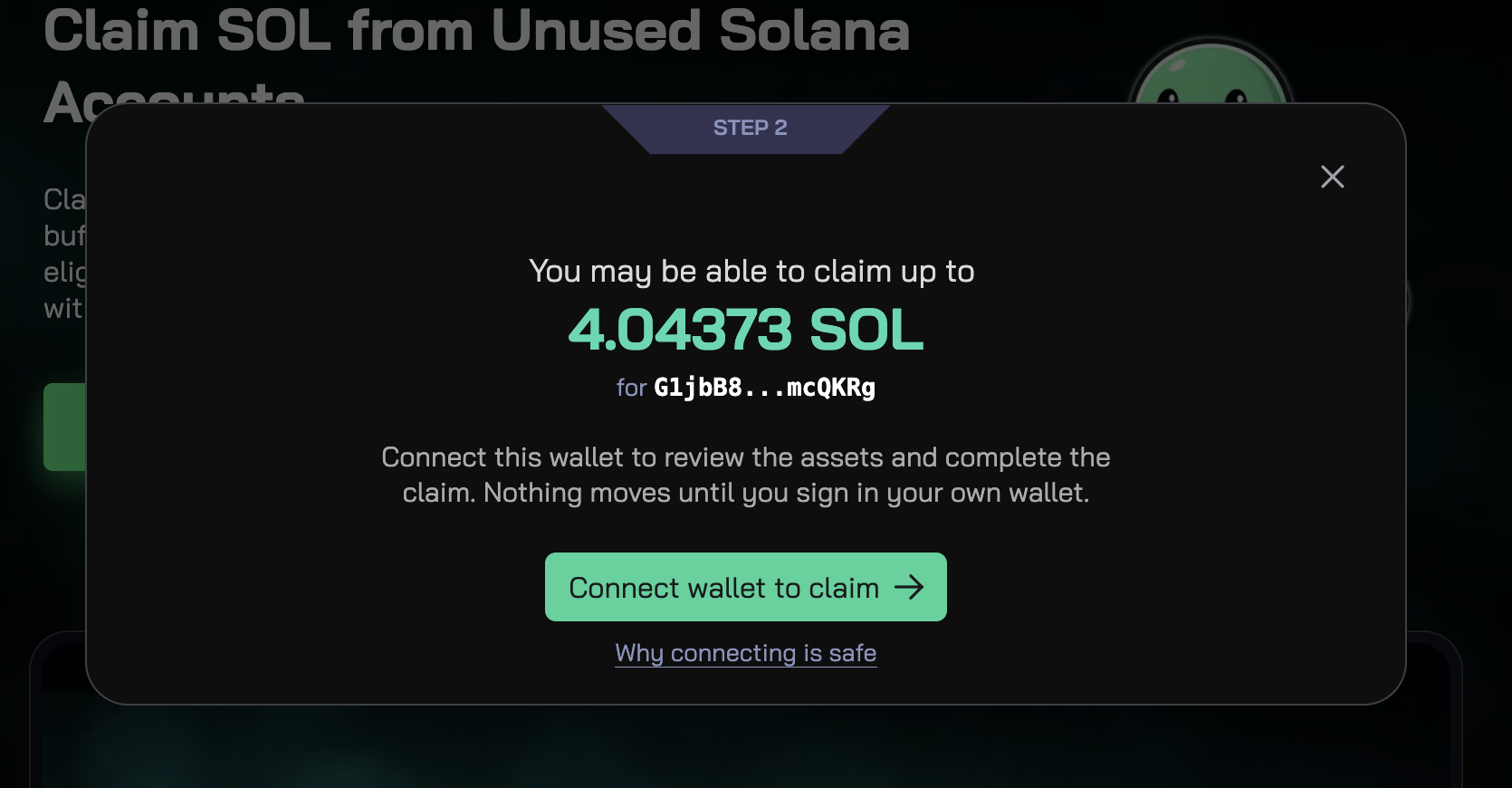
Scan Solana wallet for reclaimable SOL before you connect, sign, or spend time digging through old token accounts. UnclaimedSOL now lets anyone paste a Solana wallet address and instantly check whether that wallet may have SOL sitting in dormant accounts.
No wallet connection is required for the scan. No signing. No private keys. Just enter a public Solana address and see what may be reclaimable.
What Does It Mean to Scan Solana Wallet for Reclaimable SOL?
When you scan Solana wallet for reclaimable SOL, UnclaimedSOL checks public on-chain account data connected to that address.
Many Solana wallets collect token accounts over time from swaps, NFTs, airdrops, meme coins, trading, and app activity. Some of those accounts may no longer be needed, but they can still hold rent-exempt SOL.
UnclaimedSOL identifies those accounts and estimates how much SOL may be recoverable.
How the Scan by Address Feature Works
The new Scan by Address feature is simple:
- Paste a Solana wallet address.
- Run the scan.
- Review the estimated reclaimable SOL.
- If it is your wallet, connect and choose whether to claim.
The scan is read-only. It cannot move funds or change anything in the wallet. Claiming requires the wallet owner to connect and sign a transaction.
Why Wallets Have Reclaimable SOL
Solana token accounts require rent-exempt SOL to exist on-chain. Over months or years, active wallets can build up many unused token accounts.
This can happen from:
- Swapping tokens
- Receiving airdrops
- Trading meme coins
- Minting or collecting NFTs
- Using DeFi apps
- Testing new Solana tools
- Holding dust balances
If those accounts are eligible to close, the rent deposit can often be returned to the wallet owner.
Who Should Use Scan by Address?
This feature is useful for anyone who wants to check a Solana wallet before connecting it.
It is especially useful for:
- Active Solana traders
- Meme coin users
- NFT collectors
- Airdrop farmers
- Creators and public wallet owners
- DAOs and treasury managers
- People with old wallets
- Users managing multiple addresses
If you have an old wallet, a busy trading wallet, or a public address you want to inspect, Scan by Address gives you a fast first look.
How to Scan Solana Wallet for Reclaimable SOL Safely
To scan Solana wallet for reclaimable SOL safely, use the public address only. You do not need to connect your wallet just to check the estimate.
Scanning is informational. It reads public blockchain data and shows possible reclaimable SOL. If you decide to claim, review the accounts carefully before signing.
Closing token accounts can be useful, but closed accounts cannot be recovered unless recreated later.
Why No-Connect Scanning Matters
Wallet connection should be intentional.
With Scan by Address, you can check first and act later. This makes the process faster and safer because you can see whether there is anything worth reclaiming before approving wallet access.
That is the main benefit: visibility before signing.
Try It Now
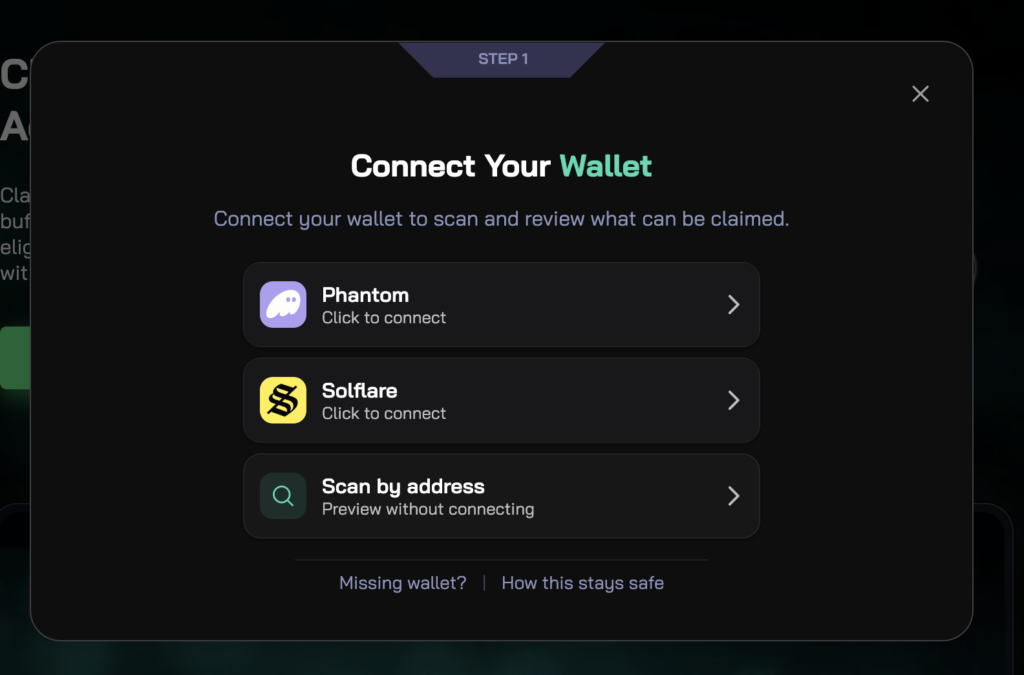
Use UnclaimedSOL to scan Solana wallet for reclaimable SOL in seconds.
Paste a wallet address, check the estimate, and decide whether it is worth connecting to claim.
Scan your Solana wallet for reclaimable SOL
Frequently Asked Questions
Can I scan any Solana wallet address?
Yes. Solana wallet addresses are public, so UnclaimedSOL can scan public on-chain data for any valid Solana address.
Do I need to connect my wallet to scan?
No. You can scan Solana wallet for reclaimable SOL without connecting or signing.
Can scanning move my funds?
No. Scanning is read-only and cannot move funds, close accounts, or change wallet state.
Who can claim the reclaimable SOL?
Only the wallet owner can claim it, because claiming requires a signed transaction from that wallet.
Where does reclaimable SOL come from?
It usually comes from rent deposits held in dormant or unused Solana token accounts that may be eligible to close.